
Local service guide
cloud setup in Charleston, WV: plan and hire
For cloud setup in Charleston, WV, hire someone who will list the files and devices they will connect, keep you in control of the account, and demonstrate file recovery before you accept the work. Request separate charges for setup, subscriptions and follow-up help. Before booking a large transfer, measure your home connection and agree who will confirm completion after the appointment.
Define the work before comparing quotes
Write an inventory of your devices, accounts and folders. Identify what you want to share between devices and what you want preserved for recovery. Ask the technician to explain how the proposed setup handles deletion, a lost device and a forgotten password. Request a demonstration with a disposable test file.
For a migration, name the source and destination accounts in the quote. Agree how the technician will handle duplicates, shared links and files they cannot transfer. Keep the source copy until you have checked the destination and completed your acceptance tests.
Check your home connection before scheduling
The West Virginia Office of Broadband provides a residential speed test and survey. The office instructs residents to test from their residential computer or mobile device, close apps and streaming devices, and deactivate a VPN before testing. Follow those instructions, then restore your usual settings. [1]
Share your upload measurement and approximate file volume with the technician. Ask for separate plans for hands-on setup and transfer monitoring. Agree whether the technician will return, check progress remotely with your permission, or teach you how to confirm completion. Specify which files you need to keep available during the work.
Prepare paper records at the Main Library
Kanawha County Public Library's Main Library at 123 Capitol Street offers free document scanning to a personal storage device. The library lists public computers on the third floor. Call 304-343-4646 to ask about equipment availability before bringing documents. [2]
Bring personal storage and choose folder names before scanning. Open your scans and check page order, legibility and missing pages before leaving. Tell the technician whether your quote should include scanning or only organizing and uploading files you have prepared.
The library lends laptops for three-hour sessions inside the building. Borrowers need their physical library card in good standing. The laptops connect to filtered guest Wi-Fi, and the library wipes saved information on logout or shutdown. Save your work to personal storage before ending a session. [2]
Compare costs and control account access
Ask providers to quote the same inventory and completion tests. Request separate amounts for labor, travel, subscriptions and follow-up support. Specify who may approve additional storage or other paid changes. Obtain a project quote rather than treating the library's document preparation fees as a cloud setup price.
Create the account using contact details you control. Enter passwords yourself and review recovery settings with the technician. Agree on a limited access period and inspect sharing permissions together. Request a handover that identifies the account owner, billing owner and person responsible for checking future backups.
West Virginia Code sets conditional breach-notification duties for people and entities that own, license or maintain computerized personal information. Subsection (c) requires a person or entity maintaining another owner's data to notify the owner or licensee as soon as practicable following discovery if it knows or reasonably believes an unauthorized person accessed and acquired personal information. Ask a provider handling sensitive records to document incident contact procedures. Review the law's conditions before drawing conclusions about a particular event. [3]
Agree on acceptance and follow-up
Before accepting the work, open representative files on each agreed device and inspect sharing settings. Ask the technician to demonstrate recovery, then repeat the steps yourself. Confirm that you can use account recovery without relying on the technician's phone or email.
List unfinished transfers and agree when you will review them. Request instructions for checking errors, obtaining help and ending continuing support. Approve deletion of source files after your agreed checks. Keep the invoice and handover instructions with your household technology records.
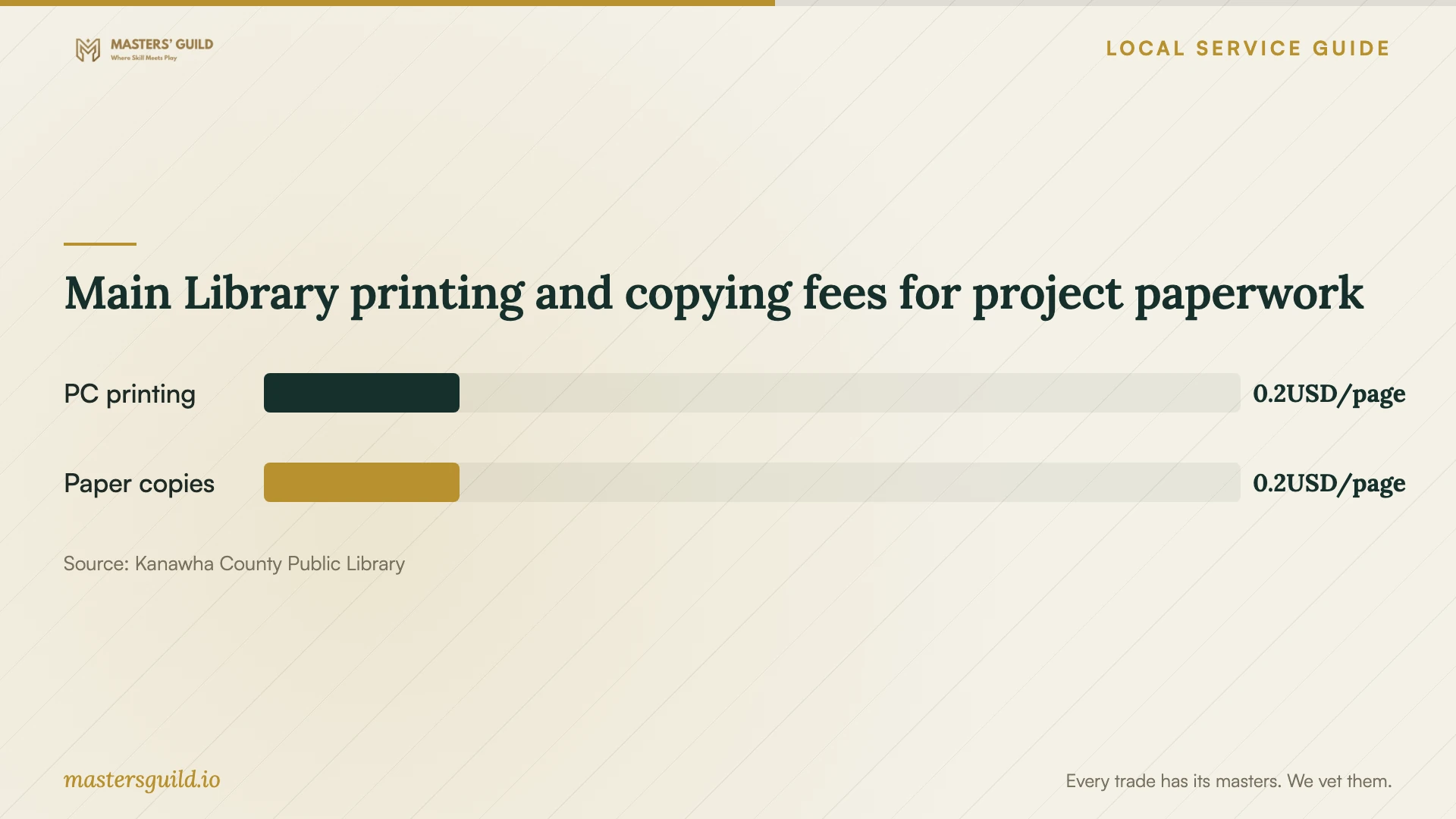
Main Library printing and copying fees for project paperwork
Local details that affect your job
A statewide connection check you can use at home
Charleston residents can use the Office of Broadband's residential speed test. If connectivity is insufficient to run it, the office accepts location information at 304-741-9850, including the full address and current provider if available. The office warns that calls may not receive a return call. Arrange a connection assessment with your technician before agreeing to a transfer deadline. [1]
Downtown scanning and laptop session limits
At the Main Library on Capitol Street, you can scan documents to personal storage for free. Borrowed laptops stay inside the library, have three-hour checkout periods and lose saved information on logout or shutdown. Use a session to prepare or review files, save them to personal storage, and arrange home-device setup on equipment you control. [2]
Choose a plan for your project
| Your situation | Next step | Include in the scope |
|---|---|---|
| One device and a small file collection | Consider guided setup you can repeat | Account recovery walkthrough and a test file |
| Several devices or household users | Prepare a device and permission inventory | Access checks for each agreed user and device |
| Paper records need digitizing | Consider free Main Library scanning to personal storage | Organization and upload of prepared scans |
| Moving files between accounts | Keep the source copy through acceptance | Transfer review, exceptions and recovery demonstration |
| Sensitive personal records | Agree access limits and incident contacts | Handling instructions and removal of provider access |
Your hiring checklist
- List devices, source accounts, folders and approximate file volume.
- Identify what you want shared and what you want preserved for recovery.
- Measure your home connection and share the result with the technician.
- Prepare scans and check page order and legibility.
- Request separate labor, subscription and follow-up charges.
- Keep account ownership, billing and recovery contacts under your control.
- Check file access, permissions and recovery before acceptance.
- Document unfinished uploads and confirm removal of technician access.
Frequently Asked Questions
Should I book remote help or an in-home appointment?
Consider remote help if you can sign in, connect your devices and follow instructions. Request an in-home appointment if you want hands-on assistance with devices or paper records. Ask how the provider will obtain permission for access and remove it afterward.
Can I use a library laptop for the whole project?
The Main Library lends laptops for three hours at a time and requires users to keep them inside the library. It wipes saved information on logout or shutdown. Plan a preparation session and save your work to personal storage before finishing. [2]
How should I compare setup quotes?
Give providers the same device and file inventory. Compare written charges for labor, travel, subscriptions and follow-up alongside their completion tests. Ask who will monitor unfinished transfers and whether that work costs extra.
What should I check before deleting old files?
Open representative files at the destination, check the agreed folders and complete a recovery test. Ask for a list of exceptions and unfinished work. Keep the source copy until you approve those checks.
Sources and scope
This guide combines the sources below with practical planning guidance. Figures apply to the stated geography and period; request a written quote for your property.