
Local service guide
Cloud Service Setup in Charleston, SC
For Cloud Service Setup in Charleston, hire a technician when you need help migrating files, connecting household devices, or configuring backups with a demonstrated restore. Compare written quotes for the same devices, accounts, and folders. For files you have already deleted, request an assessment of existing backups and the service’s recovery options before agreeing to recovery work.
Define the work before requesting quotes
Describe a result you can check at handover. For example, ask to open family photos on your phone and laptop, share household paperwork with specific people, or restore a backed-up document to a separate folder. Name the devices and accounts involved so each technician quotes the same job.
Separate recovery of already-deleted files from future backup protection. For a missing file, ask the technician to inspect existing copies and the account’s available recovery options. For future protection, request backup configuration, an explanation of exclusions and retention settings, and a demonstrated sample restore.
If you want to change platforms, include migration in the scope. Agree on folder organization, duplicate handling, and the checks you will perform before closing the old account. Keep original copies until you have inspected the destination files.
Agree on costs and transfer completion
Request separate amounts for labor, subscriptions, travel, and follow-up support. Ask whether the technician charges by time or a fixed scope, what counts as extra work, and whether checking the completed upload is included. Set a spending limit that requires your approval before additional purchases or work.
Ask for a connection check at the place where the upload will run. ORS lets South Carolina residents look up reported providers, connection types, and download speeds by address; it does not identify the household’s current subscription. Confirm service details with the provider and ask the technician to check upload performance rather than treating the map’s download figure as a transfer estimate. [1]
Record who will monitor unfinished transfers and resolve errors after the appointment. Choose remote help if you can operate the devices and approve access yourself. Consider an in-home visit when you need help handling drives or several devices. For remote work, agree on the access method and removal of continuing access at completion.
Prepare files and retain account control
Gather devices, chargers, external drives, and account names. Identify the folders to include and exclude. Flag duplicate collections for discussion and require approval before deletion or merging. Keep a separate copy of important files before the technician starts.
Use an account in your name, enter passwords yourself, and retain your own recovery email and phone number. Ask the technician to explain available account protections and help you practice recovery steps. Store recovery information somewhere you can reach without signing into the same cloud account.
Name each family member who needs access and specify whether they should view or edit shared folders. Ask the technician to demonstrate those permissions and show you how to remove access. Agree on who will manage billing and review storage needs.
Test the handover and prepare offline records
Open representative documents and photos from the destination account on the devices included in the job. For backup work, ask the technician to restore a sample file to a separate location. Inspect the restored copy before accepting the work, and request a record of unresolved errors.
The City of Charleston offers emergency-kit, communication, and evacuation planning materials and encourages printed copies in case of a power outage. Apply that guidance to your setup: select essential household documents for offline access, test them with the internet disconnected, and choose any copies you want on paper. [4]
Request a short handover record covering account ownership, included folders, exclusions, recurring charges, and follow-up terms. Have the technician show you where to check backup status and how to report a failed transfer. Keep the instructions with your account recovery information.
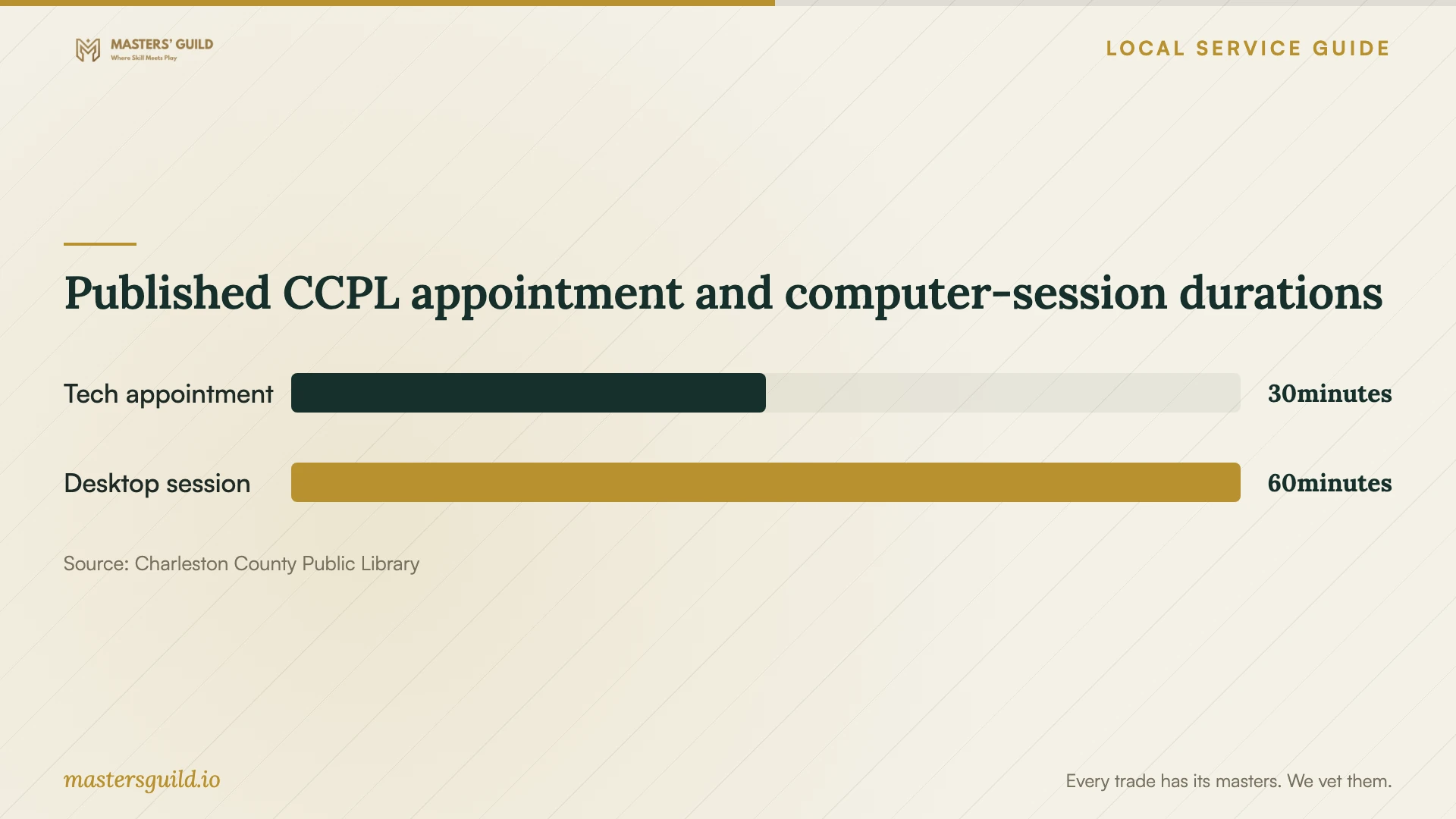
Published CCPL appointment and computer-session durations
Local details that affect your job
Use library help for a bounded question
Charleston County Public Library offers free technology classes and programs and 30-minute Tech Librarian appointments for laptop, smartphone, and tablet questions. Participating locations include Bees Ferry West Ashley, Baxter-Patrick James Island, and Keith Summey North Charleston. Describe your question to the branch before scheduling; ask whether its assistance covers the task you have in mind. [2]
Plan around public computer limits
CCPL limits standard public desktop sessions to 60 minutes, with extensions possible when computers are available. The library erases public computers at the end of each session and automatically logs users out when their allotted time ends. Save documents to your own external drive or cloud account before logout. For a transfer that needs continued monitoring, arrange another plan with your technician. [3]
Confirm address-level internet options
ORS describes its statewide broadband map as using data from the majority of South Carolina providers. Use your actual address to inspect reported availability, then confirm it with the provider before scheduling work around a new connection. ORS asks consumers to report discrepancies when the map indicates broadband service they do not have. [1]
Test temporary connectivity at home
CCPL offers four-week, nonrenewable hotspot loans to adult library cardholders and requires an Internet Acceptable Use Agreement. Its policy says hotspot functionality depends on cellular network access at your location. Ask about availability and test the borrowed device at home before using it in a migration plan. [2] [3]
Match the appointment to your household task
| Your task | Next step | Clarify before booking |
|---|---|---|
| Understand a device setting | Ask a CCPL branch about introductory help | Describe your question and confirm it fits the appointment |
| Connect devices you can operate | Consider remote help | Confirm you can approve access on each device |
| Handle drives and several devices | Consider an in-home appointment | List the equipment and accounts involved |
| Replace a cloud platform | Request migration help | Agree on folder organization and duplicate handling |
| Recover already-deleted files | Request assessment of existing backups and service recovery options | Ask what existing copies or recovery features the technician can inspect |
| Protect files against future loss | Request backup configuration and a sample restore | Agree on included folders, exclusions, and recovery settings |
Your hiring checklist
- List devices, accounts, folders, and approximate data volume.
- State whether you need migration, future backup protection, or assessment of already-missing files.
- Identify family members and their intended folder permissions.
- Keep a separate copy of important files and flag duplicates before work begins.
- Confirm account access and gather chargers and external drives.
- Agree on labor, recurring charges, extra-work approval, and transfer monitoring.
- Require destination-file checks, a sample restore for backup work, and written handover instructions.
Frequently Asked Questions
Should I buy a subscription before the appointment?
Ask the technician to review your existing accounts first. Before purchasing another subscription, request the proposed storage allowance, billing interval, and cancellation terms. Make the purchase through an account you control.
Can the technician recover files I already deleted?
Request an assessment before agreeing to recovery work. Ask the technician to inspect existing backups, other copies, and the service’s recovery options, then explain what they found. Treat future backup configuration as a separate task and require a sample restore.
How should I handle private documents?
Identify sensitive folders and discuss whether the technician needs to open their contents. Use sample documents for demonstrations where possible. Agree on any temporary copies, where the technician will keep them, and when they will delete them.
Can I use a library hotspot for the upload?
CCPL offers hotspot loans, but its policy ties functionality to cellular network access at your location. Ask about availability, test the device at home, and agree with the technician how to monitor the transfer and handle interruptions. [2] [3]
Sources and scope
This guide combines the sources below with practical planning guidance. Figures apply to the stated geography and period; request a written quote for your property.