
Local service guide
Data Recovery and Backup in Burnaby, BC
For Data Recovery and Backup in Burnaby, choose help based on your immediate need: restoring an existing backup, assessing a failed device, or setting up protection for business files. Before handing over equipment, agree on diagnostic charges, approval limits, data access and return arrangements. For backup work, require a demonstration that you can restore your essential files.
Define the recovery job before arranging a handoff
Prepare a short account of what happened: the device involved, the last time you accessed the files, any error message and any repair or recovery attempts. List the folders you need first, such as payroll, invoices or current projects. Give the provider a business deadline and explain which tasks you can continue without those files.
If you suspect device damage, pause further experiments and ask a recovery specialist for handling instructions. Describe any water exposure, unusual noise or intermittent access before transporting the equipment. Ask whether the person receiving it will perform the assessment or send it elsewhere, and obtain a receipt recording the device and its serial number.
If you have an existing backup, ask the provider to assess that copy as a separate route to restoration. Agree on a destination for restored files and preserve the original device while you decide whether further recovery work is worth commissioning.
Compare quotes by scope and approval points
Request a written diagnostic fee and a separate recovery quote after assessment. Ask the provider to identify charges for transport, replacement media, urgent service and taxes. Set a spending limit that requires your approval before further work. Avoid treating an advertised starting price as your approved total.
Define what counts as a successful result. Specify the priority files, whether you need their original folder structure and how you will check that they open. Ask what you owe if the provider returns only part of the requested data, cannot recover your priority files or finds that the device needs another specialist.
For scheduling, request separate estimates for assessment, recovery work and delivery. Ask when the provider will update you and how it will handle a missed deadline. For a backup installation, separate setup charges from ongoing storage, monitoring and support, and request the cancellation and data-export terms.
Agree on privacy and custody before sharing files
B.C.’s Personal Information Protection Act requires organizations within its scope to make reasonable security arrangements for personal information in their custody or control. Section 4 also assigns responsibility for information under an organization’s control when another party holds it. Treat provider selection as part of your business’s data-handling decision. [2]
Ask who can access the device, where technicians will work and whether the provider uses subcontractors. Request written terms covering access to files, transfer methods, retained working copies and return of the original equipment. Ask the provider to explain its retention schedule, including any legal or business reason for keeping copies after you accept the recovered files. [2]
For cloud backup, ask where the provider stores data and where administrators work. Canada’s Cyber Centre advises businesses to consider provider privacy policies, unauthorized-access notification, destruction processes and the jurisdictions where providers store or use sensitive information. Request answers before selecting a storage service. [3]
Specify a backup you can restore
Start with a list of essential systems and how much recent work you can afford to lose. Canada’s Cyber Centre recommends choosing backup frequency according to how often essential information changes and each system’s recovery requirements. Ask the installer to document the schedule for each system rather than applying one schedule without discussion. [3]
Require encrypted storage and limit backup access to people responsible for restoration or testing. The Cyber Centre recommends considering secure offsite storage and keeping long-term backups offline. Ask the provider to explain how its proposed setup meets those recommendations, including who holds encryption keys and how you regain access if the provider becomes unavailable. [3]
Include a restore test in acceptance. Select representative files and an essential business workflow, then ask the installer to demonstrate restoration to an agreed destination. Record the result, the steps and the person responsible for future tests. The Cyber Centre recommends clear restore procedures and verification that backup and restore mechanisms operate as expected. [3]
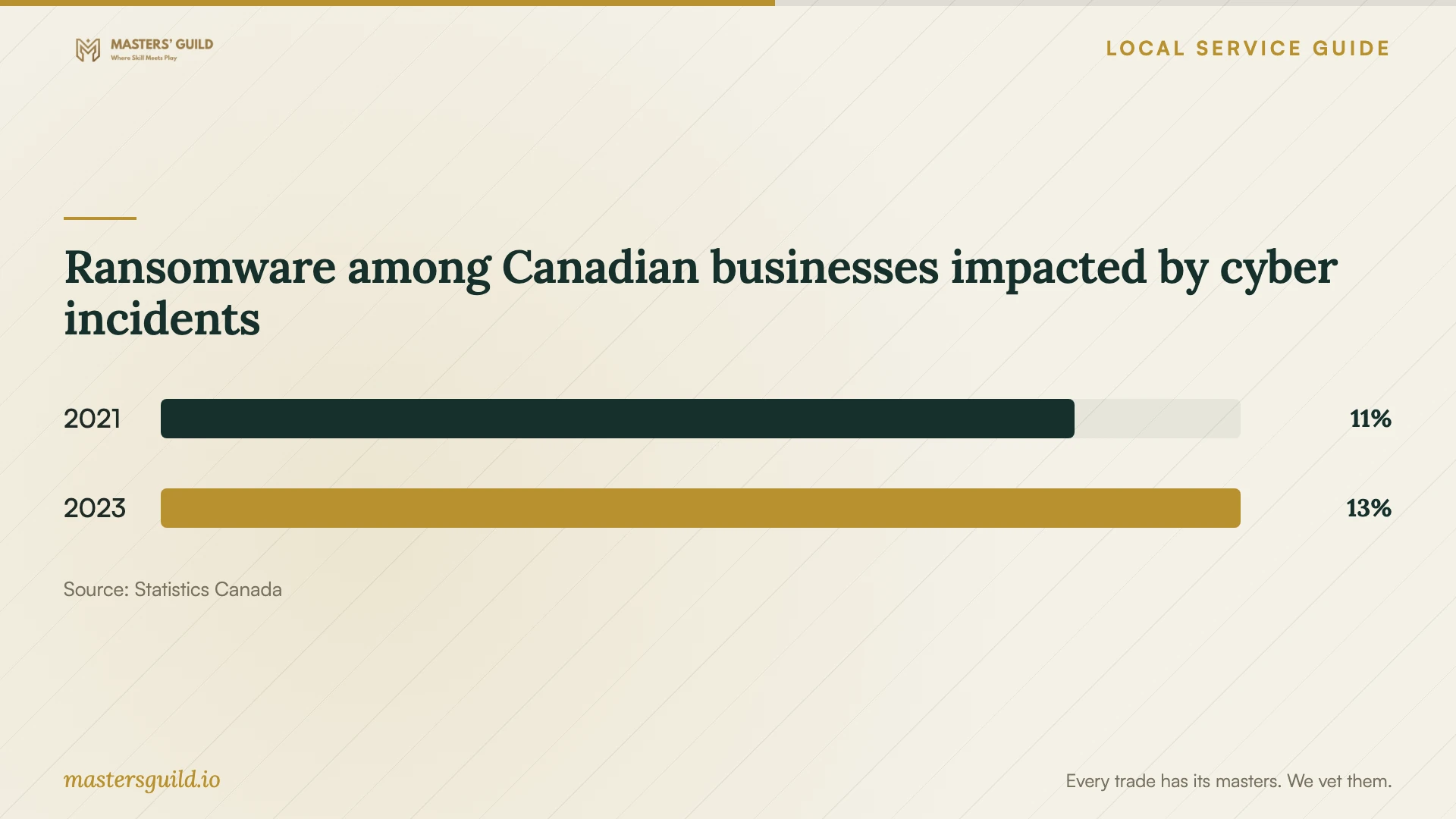
Ransomware among Canadian businesses impacted by cyber incidents
Local details that affect your job
Plan for the Fraser River lowlands
The City identifies nearly 800 hectares between Burnaby’s steep south slope and the Fraser River as floodplain. It describes flood hazards from late-spring and early-summer snowmelt and from combined heavy rain and winter storm surge. If your premises occupy this lowland area, ask the installer to review equipment placement and propose an offsite copy outside the same flood exposure. These are planning recommendations based on the City’s hazard information, not an assessment of your particular building. [1] [3]
Keep B.C. privacy responsibility in the contract
For a business covered by B.C.’s Personal Information Protection Act, handing a drive to a recovery company does not remove responsibility for personal information under the business’s control. Before release, record the authorized recipient, any onward transfer and the agreed security arrangements. Ask for the provider’s privacy contact and retention terms. The Act requires a designated privacy-responsible individual and limits retention subject to its legal and business-purpose provisions. [2]
Choose the scope that matches your situation
| Your situation | Work to request | Acceptance question |
|---|---|---|
| You have a backup to assess | Review the available copy and quote restoration | Can I open the priority files at the agreed destination? |
| Files are missing and no usable backup is available | Device assessment followed by an approved recovery scope | What do I owe for partial recovery or no priority files? |
| You suspect physical or water damage | Specialist handling instructions before handoff | Who will assess the device, and will you send it elsewhere? |
| You need ongoing backup protection | Documented schedules, encrypted storage and restore verification | Can you demonstrate restoration and explain offline and offsite copies? |
Your hiring checklist
- Record the device model, serial number, symptoms and previous recovery attempts.
- List priority files, essential applications and your business deadline.
- Identify available backups and arrange a separate destination for restored files.
- Get diagnostic charges, additional costs and an approval limit in writing.
- Confirm who receives the equipment and whether another company will handle it.
- Agree on file access, secure delivery, retained copies and equipment return.
- For backup setup, document schedules, encryption-key access and offsite arrangements.
- Accept the installation after a restore demonstration and keep written recovery instructions.
Frequently Asked Questions
How much should I budget for recovery?
Obtain an assessment-based quote for your device and required files. Ask for the diagnostic charge, approved recovery amount, additional costs and payment terms for an incomplete result. Compare providers using the same priority-file list and deadline.
Can I use a backup kept in the same office?
Include that copy in your restoration plan, but ask about protection against a premises-wide incident. Canada’s Cyber Centre recommends considering secure offsite backups for disasters such as fire and flood. In Burnaby’s Fraser River lowlands, review whether the proposed offsite location shares the same flood exposure. [1] [3]
What should I ask before handing over customer records?
Ask who will access them, whether another company will receive them, how the provider will secure transfers and when it will remove working copies. B.C.’s privacy law assigns organizations responsibility for personal information under their control and requires reasonable security arrangements. [2]
How do I check that the backup installation is complete?
Ask for a restore demonstration, written instructions and a named person responsible for future checks. Confirm that the provider included your essential systems and documented their backup schedules. Canada’s Cyber Centre recommends verifying that backup and restore mechanisms operate as expected. [3]
Sources and scope
This guide combines the sources below with practical planning guidance. Figures apply to the stated geography and period; request a written quote for your property.