
Local service guide
Computer Virus Removal in Burnaby, BC
Arrange Computer Virus Removal in Burnaby by requesting a written diagnosis, file-preservation plan and itemized quote before approving repairs. Identify affected devices, essential applications and your completion deadline. For a ransom notice or encrypted files, seek incident-response help. The Canadian Centre for Cyber Security recommends taking affected devices offline and keeping them powered on after isolation to preserve forensic evidence. [4]
Define the work before choosing a technician
Describe the warning messages, inaccessible files or unexpected account activity you observed. Tell the provider what you did before the problem appeared and whether the computer connects to shared storage or business accounts. Ask what the diagnostic fee includes and request written findings before approving further work.
Make file preservation part of the scope. List the accounting records, customer documents and project files you need, along with your last known usable backup. Require separate authorization before the technician erases a drive, reinstalls the operating system or replaces hardware. Agree on who supplies application licences and which settings the technician will restore.
Discuss remote assistance, drop-off or an office visit after explaining the symptoms. For remote work, agree on how you authorize and end access. For drop-off, request a receipt identifying the computer and accessories. For an office visit, name the person who can approve charges and access to business systems. Confirm the provider can work with your business applications.
Request incident response for suspected ransomware
Tell the provider about ransom notices before booking cleanup. The Canadian Centre for Cyber Security advises taking affected devices offline to limit spread and keeping them powered on after isolation to preserve forensic evidence. It recommends professional cyber security assistance and considering a report to law enforcement. [4]
Ask the specialist to explain the investigation and recovery sequence. The Cyber Centre recommends resetting credentials, addressing the attacker's entry point before reconnection and scanning backup files before restoration. Discuss which connected devices and accounts the specialist will assess and how they will keep recovery backups separate from the affected environment. [4]
Request a written explanation of recovery limits and charges. Clarify whether the fee covers investigation, malware removal and restoration, and what you owe if files remain inaccessible. The Cyber Centre warns that paying a ransom does not guarantee access to encrypted data or systems. [4]
Compare the scope, price and tax treatment
Give each provider the same requested work so you can compare their quotes. Separate diagnosis, cleanup, restoration, travel and software charges. Ask whether the provider credits the diagnostic fee toward repairs and includes follow-up support. Agree on a completion target, an approval limit for extra work and payment terms if recovery fails.
B.C. exempts services to test, configure, repair or restore software from PST. The province taxes hardware repair services and generally applies 7% PST to taxable software purchases for use on devices ordinarily situated in B.C. Exemptions and bundled-purchase rules can change the treatment. Qualifying business software used inside and outside B.C. requires proportional PST based on B.C. usage. [1]
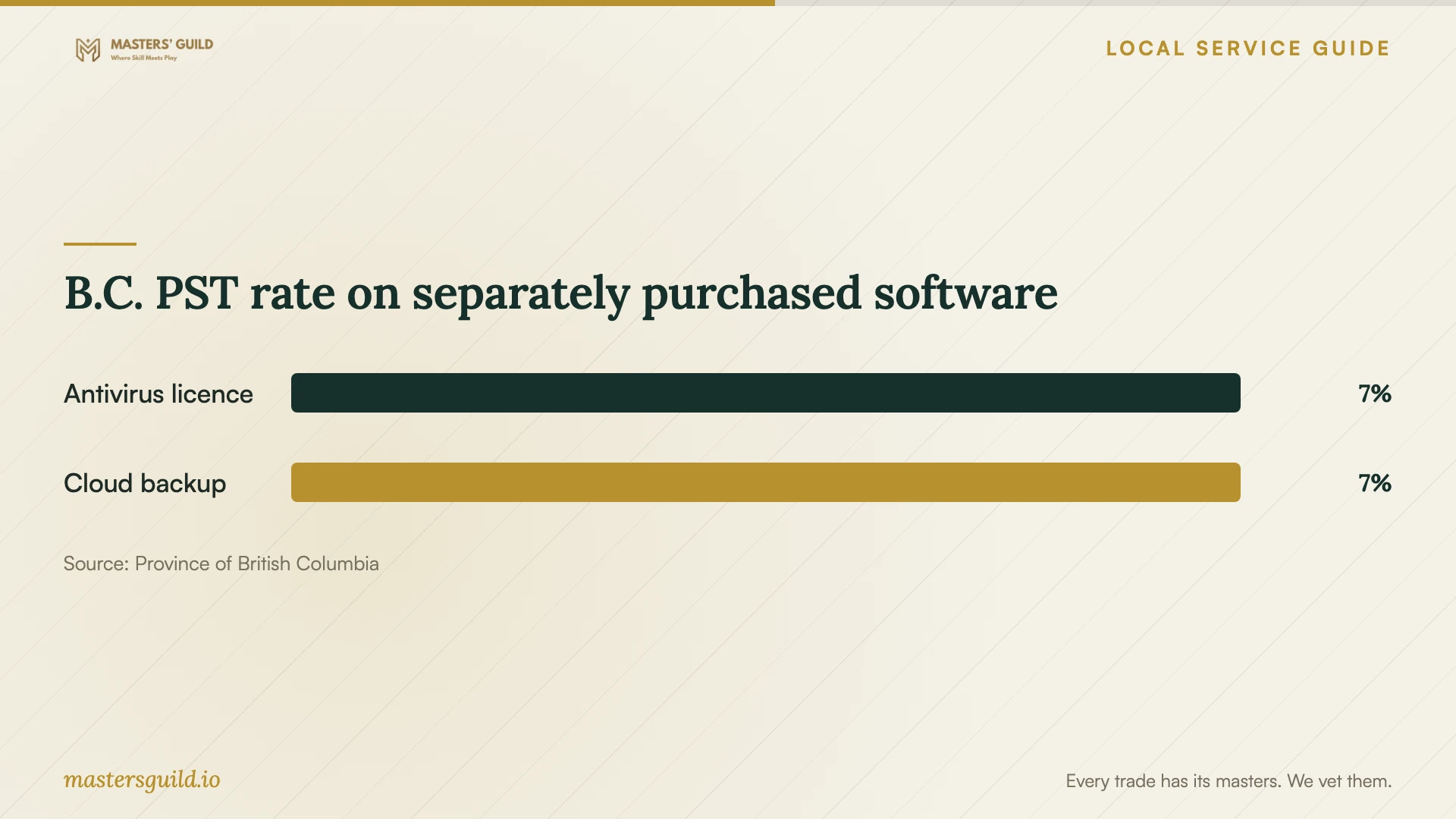
The chart shows the published PST rate for separately priced antivirus and cloud backup purchases used exclusively in B.C., with no applicable exemption. The province treats cloud data backup services as taxable software. Use the comparison to identify purchases to itemize alongside cleanup; it does not establish a removal price or the complete tax on your invoice. [1]
Agree on privacy and completion checks
The B.C. privacy commissioner explains that PIPA applies to private-sector organizations that collect, use and disclose individuals' personal information in B.C. It also covers organizations located in B.C. handling individuals' personal information inside or outside the province. PIPA requires organizations to protect that information against unauthorized use or disclosure. [3]
Agree on which folders the technician may inspect, where they may store copies and who may access them. Ask whether another company will perform any work, how long the provider retains backups and how they delete copied data after completion. Where account access is necessary, ask whether you can enter credentials yourself.
Before accepting the repair, open the files and applications named in your scope and request a work summary. Confirm removal of temporary remote access and the agreed treatment of copied files. Ask for a maintenance plan that follows the Cyber Centre's recommendations to patch systems, keep security software current and store ransomware recovery backups offline. [4]
B.C. PST rate on separately purchased software
Local details that affect your job
B.C. tax rules affect your quote comparison
For your Burnaby business computer, request separate charges for software repair, hardware services and purchased software. B.C. exempts software repair and restoration services from PST; hardware services and taxable software purchases attract PST. Ask how the provider applies bundled-purchase rules. If your business uses purchased software inside and outside B.C., discuss the province's proportional-use rules rather than assuming PST applies to the full purchase price. [1]
Arrange disposal separately from data sanitization
Burnaby's Eco-Centre lists electronics among accepted recycling items at 4855 Still Creek Drive. The City lists hours of 8 am to 4 pm, Monday through Sunday, with closures on Christmas Day and New Year's Day. Arrange data sanitization before disposal and confirm acceptance of your items before travelling. The City page does not describe a secure data-destruction service. [2]
Choose the scope to request
| Situation | Requested scope | Question before approval |
|---|---|---|
| One device with suspected malware | Diagnosis and cleanup with file-preservation instructions | Which findings and completion checks does the fee include? |
| Encrypted files or a ransom notice | Incident response, evidence preservation and recovery planning | How will you preserve evidence and address the entry point? |
| Provider proposes an operating-system reinstall | Separate authorization for erasure and restoration | Which files, applications and settings will you restore? |
| Repair includes hardware or new software | Itemized quote with an explanation of B.C. PST treatment | How do exemptions, bundled charges or multi-jurisdiction software use affect the tax? |
| You decide to retire the computer | Data sanitization and a separate electronics disposal plan | Who handles the drive and documents the agreed sanitization work? |
Your hiring checklist
- Record warning text and symptoms, and identify affected devices and shared storage.
- List essential files, applications and your last known usable backup.
- Tell the provider about ransom demands before authorizing cleanup.
- Request a written scope, completion target and spending limit.
- Agree on file access, backup custody and deletion of copied data.
- Request itemized service, hardware, software, travel and tax charges.
- Check agreed files and applications before accepting the work.
- Arrange data sanitization before retiring the computer.
Frequently Asked Questions
How should I set a repair budget?
Request a device-specific quote after describing the symptoms and file-preservation requirements. Separate diagnosis, cleanup, restoration, travel and software charges. Set an approval limit and ask what you owe if the technician cannot recover your files.
Should I turn off a computer showing a ransom notice?
The Canadian Centre for Cyber Security recommends taking affected devices offline and keeping them powered on after isolation to preserve forensic evidence. Seek professional guidance before authorizing erasure or reinstallation. [4]
Does PST apply to the whole repair?
B.C. exempts software repair and restoration services from PST. Hardware repair services are taxable, and taxable software purchases generally attract 7% PST. Exemptions, bundled-purchase rules and proportional business use inside and outside B.C. can affect the amount. Request an explanation for each invoice component. [1]
Where can I take a computer I decide to retire?
Burnaby's Eco-Centre accepts electronics for recycling at 4855 Still Creek Drive. Arrange data sanitization first and confirm acceptance and hours before your trip. The City's recycling information does not describe a secure erasure service. [2]
Sources and scope
This guide combines the sources below with practical planning guidance. Figures apply to the stated geography and period; request a written quote for your property.