
Local service guide
Cloud Service Setup in Burnaby, BC
Arrange Cloud Service Setup in Burnaby by asking a technician to quote the files, staff accounts, devices and recovery tests you need. Keep account ownership with your business and agree on temporary technician access before work starts. Check municipal business licensing for an on-site provider, and review privacy responsibilities before moving customer or employee information. [1] [2] [3]
Define the job before comparing quotes
Tell the technician what your business needs to accomplish: share working documents, move an existing file archive, recover lost files or give staff access from different devices. List the current storage locations, approximate data volume, staff accounts and devices. Identify customer records, payroll documents and other information that needs restricted access.
Request an itemized quote for your data volume, accounts, devices, migration and recovery testing. Have the technician separate setup labour and travel from storage capacity, user subscriptions, backup services and ongoing support. Agree on a written approval point before they add paid services or expand the migration.
Choose remote or on-site help around the work you need. Discuss whether the technician needs to handle an external drive, connect a backup device or help staff at their desks. For remote work, agree on how you will approve the support session and end the technician's access.
Choose permissions and privacy terms before uploading
B.C.'s privacy guidance makes organizations responsible for personal information under their control, including information transferred to another organization. For this job, have the technician document who can view, edit, download and share each sensitive folder. Name the person in your business who will approve access changes. [2]
The privacy commissioners' cloud guidance recommends limiting access to people who need the information for their jobs, reviewing encryption and using authentication appropriate to the information's sensitivity. Request a demonstration of multi-factor authentication. Have the technician explain how you will recover access if an administrator loses a phone or leaves the business. [3]
Review where the provider stores and processes information, including backups, and whether subcontractors can access it. Canadian private-sector privacy legislation does not impose a blanket prohibition on processing abroad, according to the federal guidance. Foreign laws and any obligations specific to your organization still matter. Seek help assessing these requirements before approving a location or contract. [3] [4]
Specify backup and recovery as separate deliverables
Have the technician explain how the proposed setup will recover a deleted file, an earlier version and information from a failed device. Treat a working upload as the start of the acceptance check. Require a recovery demonstration using a sample file that you can open and inspect.
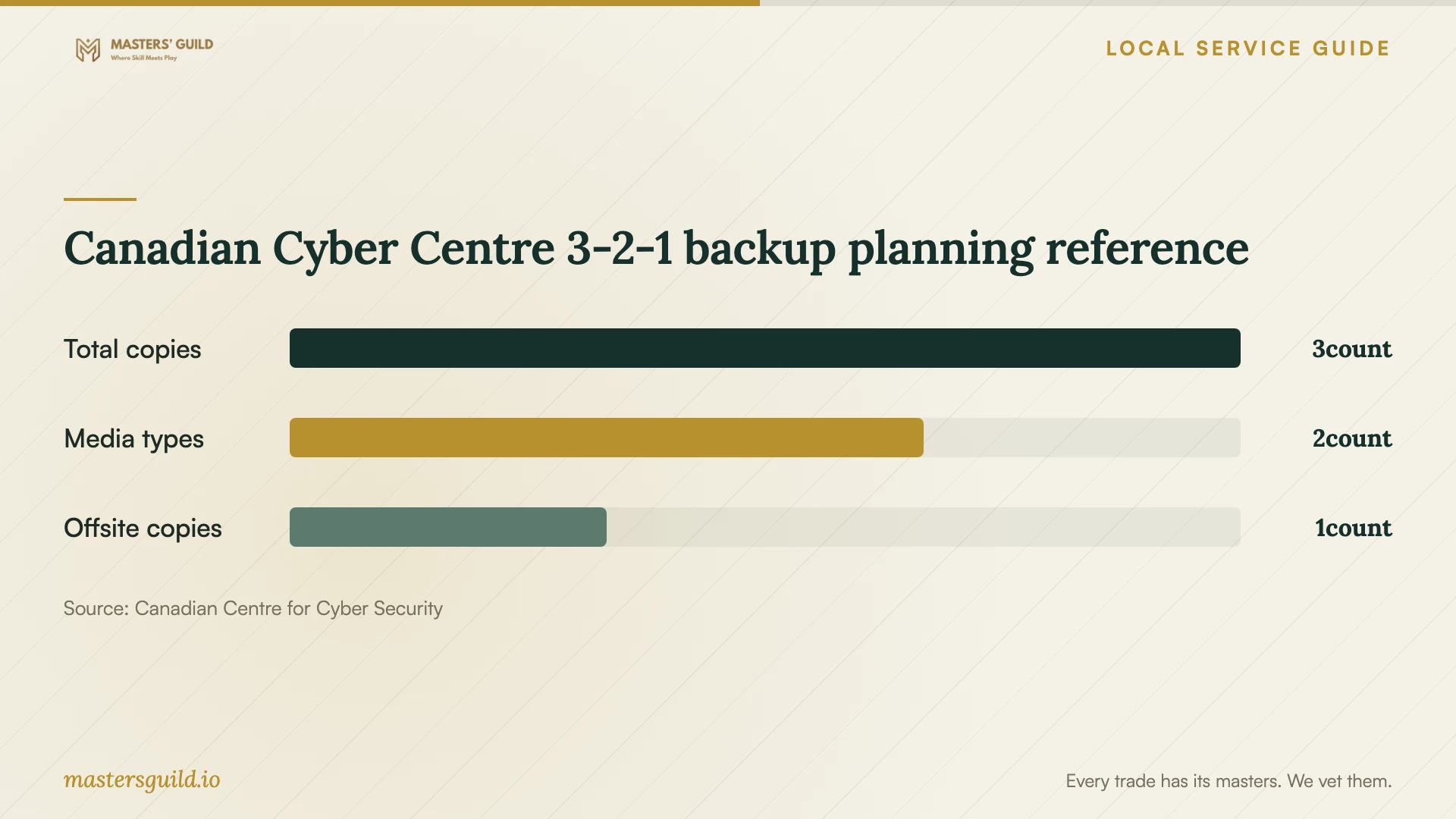
The Canadian Centre for Cyber Security recommends three copies of information across two media types, with one copy offsite. It also recommends an offline backup and testing recovery. Have the technician map your proposed arrangement to that guidance and explain how you will disconnect, protect and update any removable backup. [4]
The chart shows the quantities in that national backup recommendation. Use it as a planning reference. It does not measure business adoption or protection achieved. Confirm which files each backup includes and who will check failed backup notifications. [4]
Plan the migration and accept the handover
Agree on a migration window and a point when staff should stop editing the old files. Have the technician record what they will copy, what they will exclude and how they will handle duplicate names or failed transfers. Keep the original files until you have checked the destination and completed the agreed recovery test.
During handover, sign in through a business-controlled account, open representative files and check access as a staff member. Request a short record of administrator accounts, recovery contacts, subscription renewals, backup schedules and support responsibilities. Remove temporary technician permissions after accepting the work.
Include an exit plan before committing to a provider. The privacy commissioners recommend termination arrangements that let an organization retrieve its information and require the provider to delete it within specified timeframes. Confirm which export formats you can use and what the provider will retain after cancellation. [3]
Canadian Cyber Centre 3-2-1 backup planning reference
Local details that affect your job
Check the licence for an on-site Burnaby technician
The City requires businesses operating in Burnaby to hold a valid business licence and lists a non-resident category for temporary operators and mobile companies without a fixed city location. Its inter-municipal licence eligibility covers specified construction, trade-related and home-health services; the page does not list IT setup. Ask an on-site technician which licence applies, and contact Burnaby Licensing at 604-294-7320 if they rely on a neighbouring-city or inter-municipal licence. [1]
Apply B.C. privacy requirements to your migration scope
For a Burnaby business handling personal information, B.C.'s provincial guidance calls for a designated privacy officer, safeguards and responsibility for information shared with another organization. Before the technician uploads customer or employee folders, have your privacy lead approve the access list, intended uses and retention plan. These responsibilities come from provincial guidance applicable here, rather than a separate Burnaby cloud rule. [2]
Match the setup scope to your business need
| Your need | Request in the quote | Acceptance check |
|---|---|---|
| Shared working documents | Staff accounts and folder permissions | Sign in as a staff member and check allowed access |
| Move an existing archive | Source inventory, exclusions and transfer checks | Open sample files and review any failed transfers |
| Recover critical records | Backup schedule and a recovery demonstration | Restore a sample file and inspect its contents |
| Store customer or employee information | Privacy review, access restrictions and provider terms | Approve data locations, permissions and retention responsibilities |
| Change providers later | Export procedure and termination terms | Confirm retrieval format and deletion arrangements |
Your hiring checklist
- List source folders, approximate data volume, devices and staff accounts.
- Identify sensitive records and name the person who approves their access.
- Check applicable municipal licensing for an on-site provider.
- Separate setup labour, travel, subscriptions and ongoing support in the quote.
- Agree on a migration window and retain the original files during verification.
- Request a sample restore and check the recovered file yourself.
- Record account ownership, recovery contacts and backup responsibilities.
- Remove temporary technician access after accepting the handover.
Frequently Asked Questions
How much should I budget for setup?
Request an itemized quote for your data volume, accounts, devices, migration and recovery testing. Have the technician separate one-time work from subscriptions and ongoing support. Confirm what the quoted price includes, how they will charge for additional work and when they need your approval.
Does business cloud data have to stay in Canada?
The federal private-sector guidance says Canadian privacy legislation does not prohibit cross-border processing in general. Your organization may have specific regulatory or policy requirements. Review the primary storage, backup and processing locations before choosing a provider. [3] [4]
Should I keep an offline backup after cloud setup?
The Canadian Cyber Centre recommends an offline backup because disconnected copies remain unaffected by many threats that can compromise connected systems. Have the technician explain how you will protect, update and test that copy. [4]
What should the technician leave at handover?
Request business-controlled administrator access, recovery contacts, a permissions record, subscription details and backup instructions. Have the technician demonstrate a restore and document unresolved transfer errors before you accept the work.
Sources and scope
This guide combines the sources below with practical planning guidance. Figures apply to the stated geography and period; request a written quote for your property.