
Local service guide
Software Installation in Buffalo, NY
Arrange Software Installation in Buffalo, NY by giving a technician your device details, program names, and a written list of tasks: installation, activation, file transfer, and testing. Request separate software and labor charges, agree on account access, and back up important files before work begins. New York’s software tax guidance makes itemization relevant when a provider sells prewritten software with installation services. [1]
Define the work before comparing quotes
Describe the result you need. For example, ask a technician to install and activate your chosen program, open an existing document, save a new file, and demonstrate the features you expect to use. Include email configuration, printer setup, or files copied from another computer if you want those tasks covered.
Give the provider your computer model, operating system version, program name, and any error message. Tell them whether you own a license and can access the associated account. Have them check compatibility before you buy software or authorize an operating system change. Keep license keys and account details out of a public job description.
Compare written quotes for the same devices and tasks. Request a breakdown of labor, software purchases, subscriptions, travel, file transfer, and follow-up support. Agree on a spending limit and require your approval before the technician adds work. If a provider charges by time, ask how they will handle downloads, restarts, and an unresolved installation.
Separate software purchases from installation labor
New York’s Department of Taxation and Finance treats prewritten software as taxable whether a seller supplies it on physical media, through an electronic download, or through remote access. The department lists installing, training, consulting, and troubleshooting among exempt software services. [1]
When a provider supplies those services with a sale of prewritten software, New York’s guidance requires reasonable service charges stated separately on the invoice for the service exemption. Request separate software and installation charges in the quote and final bill. Ask the provider to explain the tax treatment of a bundled package. [1]
Keep the software account under your control. Before accepting a purchase or support plan, ask who receives renewal notices, whether you face recurring charges, and how you cancel. Request the plan’s list of included tasks and retain receipts and activation information with your records.
Choose how the technician will access your computer
For remote work, ask whether the provider can complete your tasks through a session you supervise and what happens if the connection fails. For an in-home visit, describe the equipment you want tested together. For drop-off work, confirm collection arrangements, device storage, and which charger or accessories to bring.
Select the provider before granting remote access. In its September 2025 consumer alert, the New York Attorney General describes scammers who use calls, texts, emails, and pop-ups to persuade victims to download remote-access software. The office advises against calling numbers supplied in those messages or giving an unknown person access to your computer. [3]
During a booked session, enter passwords yourself and agree on which folders the technician may access. Close unrelated documents and accounts. Have the technician explain any remote-access program they install, whether it permits unattended access, and how you can disable access after the appointment.
Prepare a backup and agree on a completion test
Copy important files to a backup you control and check that you can open them. Identify the folders you want preserved. Before a reinstall or operating system change, have the technician explain what they intend to erase and obtain your agreement before proceeding.
Approve the installation source, such as the publisher’s download, before work begins. Agree on a completion test: launch the program, confirm activation, open a sample file, and save your changes. Test any printer or email function included in the scope. Restart the computer and repeat your essential task before accepting the work.
At handover, request a record of installed programs, recurring charges, and settings changed. Confirm what happens if activation fails after the appointment and whether the quote includes a follow-up session. Retain your account recovery information and ask the technician to demonstrate how you can reach your files.
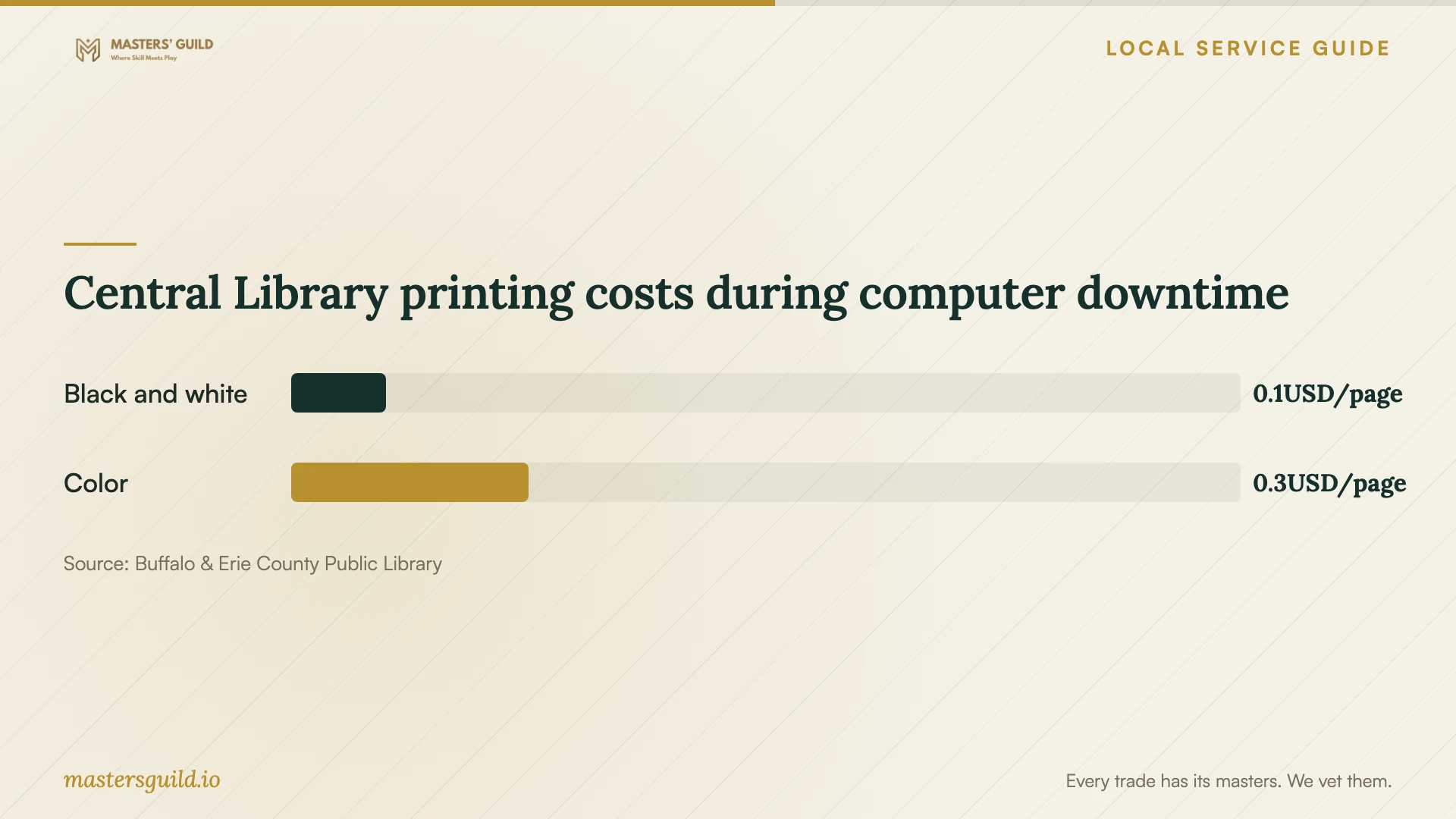
Central Library printing costs during computer downtime
Local details that affect your job
Use Central Library for occasional Office access
Central Library at 1 Lafayette Square offers free study rooms with computers running Microsoft suite software, including Word, Excel, and PowerPoint, plus internet access and printing capabilities. Request a reservation at the Computer Reference Desk or call 716-858-8900 and choose option 2 for reference staff. Staff accommodate walk-ins when a room is available. Consider a room before purchasing software for occasional document work, or while your computer is unavailable. Ask staff about help with your own device before bringing it for installation. [2]
Apply New York’s software-specific invoice guidance
For a Buffalo appointment, review software purchases and service labor as separate charges. New York distinguishes taxable prewritten software from exempt software services and requires reasonable, separately stated service charges when a provider sells them together. Request that breakdown before approving work. The state’s bulletin provides general guidance and cautions that later legal changes can affect its application; ask the provider to explain the treatment of your invoice. [1]
Confirm the library’s upcoming tech-help sessions
Central Library lists Walk-up Tech Help from 2 to 4 p.m. on October 14 and October 15, 2026, at the Information Services Desk or Computer Desk. Before hiring for a software question, ask library staff whether a session covers your issue. Confirm the schedule and scope before traveling, including whether staff can help with installation, account recovery, or repair on your personal computer. [2]
Choose the next step for your situation
| Your situation | Next step | Clarify before proceeding |
|---|---|---|
| You need occasional Office access | Consider Central Library’s free study rooms with Microsoft suite software | Check room availability and printing fees |
| You want one program installed at home | Request a quote for installation, activation, and a sample-file test | Confirm compatibility and whether you own a license |
| You want files moved or an operating system reinstalled | Request a written backup and file-preservation plan | Identify what the technician intends to erase |
| A pop-up or unsolicited caller demands remote access | Stop and choose support through a contact you verify | Avoid the contact number supplied in the unsolicited message |
| A provider bundles software and installation | Request separate software and reasonable service charges | Ask the provider to explain New York tax treatment |
Your hiring checklist
- List each device, operating system version, program, and task you want completed.
- Confirm access to your software account and recovery information.
- Back up important files and open a sample from the backup.
- Request separate prices for software, labor, file transfer, and recurring support.
- Agree on permitted account access and approval for additional work.
- Define the completion test and follow-up terms before the appointment.
- Keep receipts, activation details, and a record of settings changed.
Frequently Asked Questions
How much should I budget for installation?
Request a written quote for your specific devices and tasks, including programs, activation, and file transfer. Ask whether the total includes software, subscriptions, travel, and follow-up support. Agree on a spending limit and require approval for additional work before the appointment.
Does New York charge sales tax on installation labor?
New York’s software bulletin lists installation among exempt software services. If a provider sells the service with prewritten software, the guidance requires a reasonable service charge stated separately on the invoice for that exemption. New York taxes prewritten software itself. Ask the provider to explain your bill’s treatment. [1]
Can I use Office without installing it on my computer?
Central Library offers free study rooms with computers running Microsoft suite software, including Word, Excel, and PowerPoint. Staff accept reservations and accommodate walk-ins when rooms are available. Confirm access arrangements before relying on a room for a deadline, and budget for printing if you need paper documents. [2]
What should I do about an unexpected tech-support message?
The New York Attorney General advises against clicking unsolicited links, calling numbers in pop-ups or unsolicited messages, or granting an unknown person remote access. Choose support through contact details you verify. If you suspect a scam, the office accepts complaints and lists 1-800-771-7755 as a contact number. [3]
Sources and scope
This guide combines the sources below with practical planning guidance. Figures apply to the stated geography and period; request a written quote for your property.