
Local service guide
Home Office Setup in Bridgeport, CT
For Home Office Setup in Bridgeport, hire assembly help for the furniture and plug-in equipment you specify, and arrange a licensed electrical contractor if you want new outlets or installed wiring. Separate those tasks in your quote. The city exempts connecting approved portable electrical equipment to approved existing receptacles, but its electrical permit guidance covers power, lighting and low-voltage wiring. Confirm the wiring scope before setting the installation date. [1] [2] [3]
Define the work before comparing quotes
Write an item list with furniture model names, assembly instructions and photos of the room. Identify what you own and what you expect the installer to supply. Specify whether you want furniture assembly, monitor positioning, peripheral connections, cable organization or software configuration. Ask each provider to quote the same list so you can compare the work included.
Separate furniture work from changes to the room. Mark each proposed wall attachment, new receptacle and cable route. Bridgeport's electrical permit page includes low-voltage systems, so ask the Building Department about installed network cabling before assuming that a data cable falls outside permit review. [1]
Choose the layout before the assembly visit
Measure the desk footprint and the space you need to move your chair. Mark the proposed position on the floor and check that you can reach doors, drawers and storage. Sit in that position with your screen or a cardboard substitute. Check window reflections, your video-call background and access to the equipment you use during a work session.
For a standing desk, ask the installer to check cable slack through the desk's movement before securing cables. For a monitor arm, provide the desk and screen specifications and ask the installer to confirm compatibility with the manufacturer's instructions. Decide where you want the power strip, dock and charging cables before the installer attaches organizers.
Resolve electrical work before scheduling
Bridgeport lists connecting approved portable electrical equipment to approved permanently installed receptacles among electrical permit exemptions. Keep that distinction clear in your scope: identify equipment connections and any proposed changes to building wiring. The city cautions that a building permit exemption does not remove requirements from other departments. [2]
For an electrical permit, the city directs applicants to create an account in the Park City Portal and submit documents in PDF format. Its required-document list includes the contractor's current E-1 license card, a detailed written scope, wiring diagrams, drawings and specifications. Ask the contractor who will prepare the application and coordinate any required inspections before agreeing on the furniture installation sequence. [1]
Connecticut's Department of Consumer Protection licenses individual electricians rather than electrical companies. Ask who will serve as the licensed contractor of record and who will perform the work. The state says journeymen and apprentices cannot work for consumers outside an arrangement with a licensed contractor of record. [3]
Agree on completion and quote boundaries
Ask for separate quote lines for assembly, wall attachment, equipment connections and electrical work. Request a written explanation of material charges, packaging removal and any return visit. If the installer discovers missing hardware or an unsuitable mounting surface, agree that they will explain the proposed change and its charge before proceeding.
At handover, sit at the desk and test the setup you requested. Check the screen position, desk movement, keyboard and mouse, camera, microphone and network connection. Ask the installer to show you how to adjust the furniture and access the cable connections. Keep spare hardware and instructions together, and record any unfinished task before closing the visit.
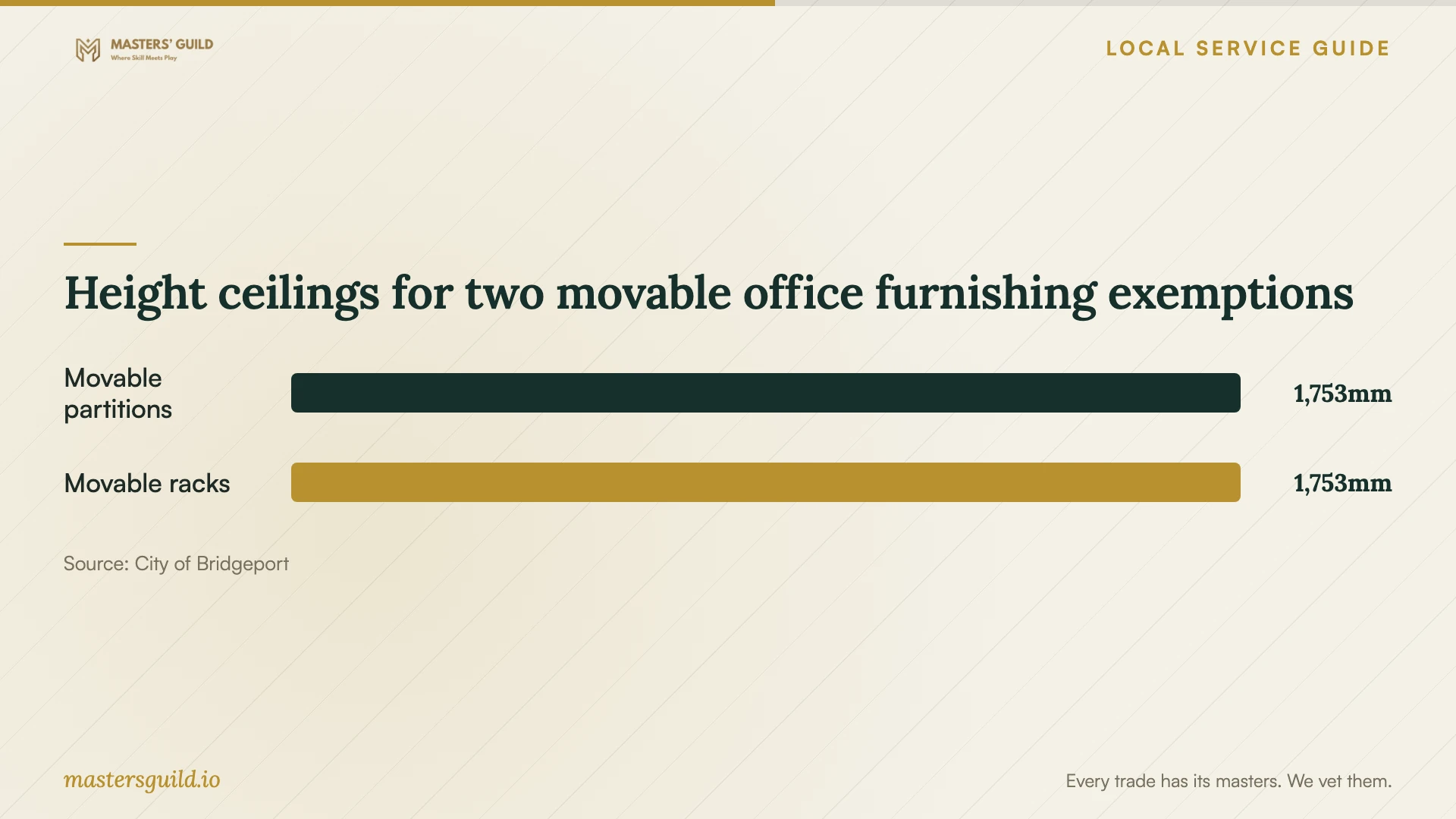
Height ceilings for two movable office furnishing exemptions
Local details that affect your job
Permit applications need a defined wiring scope
Bridgeport requires electrical permit applicants to use the Park City Portal and submit PDF documents, including a detailed scope and supporting technical documents. Send your proposed outlet locations and installed cable routes to the electrical contractor before booking the setup visit so the contractor can prepare the application around your room plan. [1]
Property account arrears can delay permit issuance
Under the ordinance cited on its electrical permit page, Bridgeport's Building Department cannot issue permits when property taxes or WPCA sewer user fees are delinquent. If your setup requires permitted work, check those accounts before paying for a coordinated installation date. [1]
The homeowner application exception has limits
Bridgeport allows a property owner who permanently resides in a single-family residence to apply for an electrical permit. Confirm eligibility with the city if you have another property type or living arrangement. For hired electrical work, ask for the licensed contractor of record; Connecticut limits consumer contracting and permit authority to electrical contractors. [1] [3]
Choose help around the actual scope
| Planned work | Who to arrange | Question before booking |
|---|---|---|
| Freestanding desk assembly and equipment positioning | Choose an installer who accepts the furniture and equipment scope | Does the quote include adjustment, testing and packaging removal? |
| Connecting approved portable equipment to approved existing receptacles | Arrange setup help for the specified connections; the city lists this connection work as exempt | Does any part of the plan also change building wiring? |
| New outlets or power wiring | Arrange a licensed electrical contractor and local permit coordination | Who will prepare the permit application and inspection arrangements? |
| Installed low-voltage cabling | Confirm permit requirements with the city and the appropriate licensed contractor | How does the city's electrical permit guidance apply to the proposed cable route? |
Your hiring checklist
- List furniture models, screens, peripherals and the tasks you want completed.
- Measure the room, desk footprint and chair clearance.
- Photograph outlet locations and mark proposed wall attachments and cable routes.
- Separate plug-in connections from new outlets and installed wiring in the quote.
- Ask who will supply mounting hardware, organizers and replacement assembly parts.
- Resolve permit responsibilities and property account questions before coordinating visits.
- Prepare your account access and enter passwords yourself during configuration.
- Test the agreed equipment and furniture adjustments before the installer leaves.
Frequently Asked Questions
Do I need an electrical permit to plug in my workstation?
Bridgeport exempts connecting approved portable electrical equipment to approved permanently installed receptacles. Adding outlets or installing wiring changes the scope. Describe those changes to the Building Department and your electrical contractor before work starts. [1] [2]
Can the person assembling my desk also add an outlet?
Connecticut requires electricians to hold a Department of Consumer Protection license to perform electrical work. Only electrical contractors can sign consumer contracts and obtain permits for hired work. Ask the assembly provider whether a licensed electrical contractor will handle the outlet under a separate, defined scope. [3]
What should a home office setup quote include?
Request an itemized description of assembly, mounting, equipment connections, cable organization and testing. Ask who supplies materials and what happens if hardware is missing. Include packaging removal and any return visit you want. Obtain a separate scope for electrical alterations.
Can I use a movable divider without a building permit?
Bridgeport lists nonfixed, movable partitions no higher than 5 feet 9 inches and containing no electrical, plumbing or mechanical equipment among building permit exemptions. The city warns that other departmental requirements may still apply. Confirm the proposal if you want a taller, fixed or equipped divider. [2]
Sources and scope
This guide combines the sources below with practical planning guidance. Figures apply to the stated geography and period; request a written quote for your property.