
Local service guide
Software Installation in Brandon, MB
Arrange Software Installation in Brandon, MB by giving the technician your device details, the programs you need and a clear finish point: installed, signed in and tested with your own files. Ask for a written scope that separates installation labour, software purchases and data transfer. Before buying software for a student’s computer, check institutional access: Brandon University provides Office 365 access through BU accounts, while Assiniboine College offers support for college software and account issues. [1] [2]
Describe the job before comparing quotes
Send the technician the computer make and model, operating system and names of the applications you want installed. Include any error message exactly as it appears. Say whether you need a new installation, help signing into an existing program or a move from an old computer. Ask the technician to confirm compatibility before you purchase software.
Describe the work you expect to do afterward. For a household computer, that might mean opening a document, joining a class meeting or accessing email. Request separate scope items for installation, account setup, file transfer and a short demonstration. This gives you a concrete basis for comparing offers.
Check student access before buying software
Brandon University’s Helpdesk says anyone with a BU email address and password can sign into Office 365 and use tools including Teams, Word and Excel. It also describes installing those tools on a personal laptop or desktop. For a student’s home computer, check the university account before asking a technician to supply a separate subscription. [1]
Assiniboine College ITS supports students and staff with account login issues and resources for Office 365, Teams, Zoom, Moodle and Assiniboine Connect. The college requires MFA registration to access Assiniboine Connect and other college programs or software. Use its ITS Portal for account questions; ask a private technician to quote the remaining device setup after you resolve access. [2]
Agree on the price and appointment format
Request an itemized quote rather than a single unexplained total. Ask whether the technician charges a fixed fee or by time, and whether the quote includes software licences, taxes, travel, updates, file transfer and follow-up help. For a subscription, confirm who will own the account and pay future renewals. Set a spending limit that requires your approval before additional work.
Ask whether the technician can complete your particular job remotely, at your home or with the computer in a workshop. Describe your internet access and any trouble starting the device. For remote help, agree on the connection method and remain present during the session. For a drop-off appointment, ask when you should expect an update and arrange another way to handle essential tasks.
Prepare accounts and protect your files
Back up files you want to keep and open a few files from the backup before the appointment. Tell the technician which folders matter and whether you authorize any removal, reset or operating system change. Ask them to explain the proposed changes before proceeding. Keep your charger, purchase records and account recovery method available.
Enter your own passwords and authentication codes during setup. Ask the technician to use your account for software purchases and activation, and to explain any administrator access they need. At handover, review remote-access tools together and agree which, if any, should remain installed. Request a written record of the applications installed and any unresolved issues.
Plan downtime and test the finished setup
Western Manitoba Regional Library provides internet access and word processing on public computers, plus printing for a per-copy charge. Members can use their barcode and PIN; people without an active membership can obtain a temporary barcode from staff. The library also offers free Wi-Fi at its branches during operating hours. Choose the access you need before leaving your computer for service. [3]
Before accepting the completed work, open each requested application and perform a task you care about. Sign in, open a sample document and check any transferred files. If your goal includes online meetings, test the microphone and camera with the technician. Ask for the next step for any remaining error and the terms for help if the same setup problem returns.
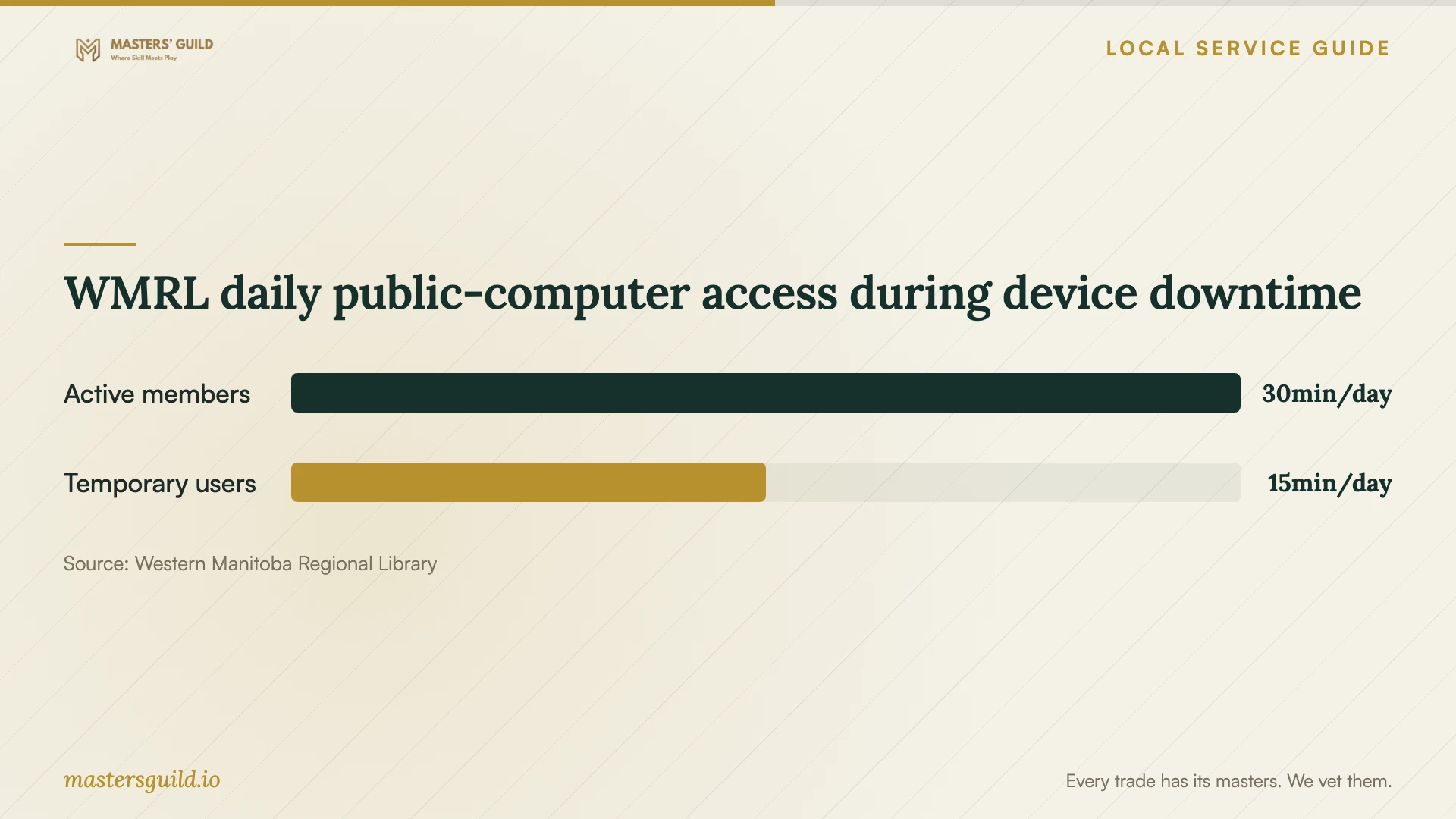
WMRL daily public-computer access during device downtime
Local details that affect your job
BU access can change what you purchase
Brandon University provides Office 365 access through a BU email address and password, including access to install tools on personal computers. Check your BU login before commissioning a paid software purchase. Its Helpdesk lists Room 109 on the main floor of the John E. Robbins Library and telephone support at 204-571-8500. [1]
Assiniboine account access comes first
Assiniboine requires MFA registration for Assiniboine Connect and other college software. Students and staff can submit questions through the ITS Portal, with help available during regular college hours. Resolve a college login or authentication problem through ITS before asking a private technician to complete the installation. [2]
Library access offers a limited downtime option
WMRL lists Brandon branches at 710 Rosser Avenue, Unit 1, and Shoppers Mall, 1570-18th Street, Unit 50A. Its public-computer policy allows up to 30 minutes daily for members and restricts temporary users to 15 minutes. Plan a short email or document session around that limit; ask staff for Wi-Fi connection details if you bring your own device. [3]
Choose the next step for your setup
| Your situation | Next step | Confirm before proceeding |
|---|---|---|
| You have a BU account and need Office tools | Check university Office 365 access before purchasing | You can sign in with your BU email address and password |
| Your Assiniboine software login fails | Contact college ITS and check MFA registration | Account access works before quoting device installation |
| You need several applications or file transfer | Request an itemized technician quote | Applications, files, spending limit and completion tests |
| You need computer access during service | Consider WMRL public computers or branch Wi-Fi | Daily computer limits and the access needed for your task |
Your hiring checklist
- List the applications, device model, operating system and exact error messages.
- Check existing subscriptions and any student software access before approving purchases.
- Request separate prices for labour, licences, file transfer, travel and follow-up.
- Back up important files and check that you can open the copies.
- Prepare your charger, account recovery method and authentication device.
- Agree on authorization for resets, removals and additional charges.
- Test the requested tasks and review unresolved issues before handover.
Frequently Asked Questions
How much should I budget for installation?
Request a quote for your specific device and software list. Separate labour from licence purchases, subscriptions and file transfer. Ask the technician to state the billing method and obtain your approval before exceeding the agreed amount.
Do I need to buy Office for a BU student’s computer?
Check the student’s BU account first. Brandon University describes Office 365 access through a BU email address and password, including installation of tools on personal computers. Confirm access before authorizing another purchase. [1]
Who should handle an Assiniboine login problem?
Start with college ITS for account login and MFA questions. Assiniboine requires MFA registration for access to Assiniboine Connect and other college programs. Its ITS Portal provides support requests and knowledgebase articles. [2]
Can I use a library computer while mine is unavailable?
WMRL offers public computers with internet access and word processing. Members receive up to 30 minutes of daily use; temporary users receive 15 minutes. Printing carries a per-copy charge, and branches offer free Wi-Fi during operating hours. [3]
Sources and scope
This guide combines the sources below with practical planning guidance. Figures apply to the stated geography and period; request a written quote for your property.