
Local service guide
Network Setup and Support in Boise: Planning Guide
Arrange Network Setup and Support in Boise by requesting a diagnosis, a written scope and completion tests before approving equipment or installed cabling. Describe the rooms, devices and activities affected. Ask the technician to check the internet connection, equipment power and network inside your home, then separate troubleshooting, hardware and installation charges in the quote.
Define the problem before choosing equipment
Describe the task you cannot complete: a work call drops upstairs, a printer will not connect or a new desk needs Ethernet. Record the device, room and time of failure. Tell the technician whether other devices worked during the same incident, and request an explanation of the proposed fix before approving purchases.
For a new setup, list the rooms and devices you want connected. Have the technician quote router configuration, access-point placement and cable installation as separate tasks. For troubleshooting, set a diagnostic spending limit and require your approval before the technician adds work or replaces equipment.
Confirm service and equipment responsibilities
Use the FCC's address lookup before choosing an internet plan. The FCC displays providers' reports of available technologies and maximum advertised download and upload speeds. Confirm service availability and installation arrangements with the provider; do not treat an advertised speed as a measurement inside your home. [3]
Give the technician your plan details and equipment models. Ask your internet provider who manages the modem or fiber terminal and whether your proposed router arrangement fits its service. For cellular backup, request a test where you intend to place the equipment. The FCC's mobile map describes outdoor or in-vehicle coverage and does not show indoor coverage. [3]
Check the scope of installed cabling
Request a cable route and endpoint list before accepting an installation quote. Include wall openings, terminations, port labels and repairs. Have the installer identify applicable permits and credentials for the actual work. If the proposal includes new electrical outlets, name who will perform that work and quote it as a distinct task.
Idaho requires contractor registration for nonexempt construction jobs exceeding $2,000 in combined materials and labor. DOPL distinguishes registration from licensure and lists exemptions, including work within certain existing licenses. Ask a cabling installer to explain how the proposed construction fits those rules. This guidance does not establish a registration requirement for ordinary router configuration. [1]
For qualifying residential improvement contracts exceeding $2,000, Idaho requires general contractors to provide an initial disclosure before contracting and retain the homeowner's signed receipt. The disclosure covers rights concerning insurance proof, lien waivers and other protections. Ask whether your cabling contract qualifies and obtain the applicable documents before signing. [1]
Plan for power outages and recovery
Check who supplies your electricity before following utility instructions. If Idaho Power supplies your home, its outage map can take up to 10 minutes to display an outage and excludes outages affecting fewer than 10 customers. Report a power outage that remains absent after 10 minutes. If another utility supplies your home, use that provider's reporting process. [2]
If Idaho Power supplies your home, its equipment guidance recommends a high-quality surge suppressor for sensitive electronics. It advises turning equipment back on in phases after power has returned for about 10 minutes, checking each item before proceeding. Other customers should consult their electricity provider. Ask your network technician to document a recovery procedure for your equipment. [2]
Compare quotes and test the finished work
Compare proposals against the same device list, room list and tasks. Request separate charges for diagnosis, hardware, cabling, wall repairs and support. Establish who owns purchased equipment, who handles returns and what happens if the agreed tests fail. Ask the technician to state any exclusions and the approval process for additional work.
Before the technician leaves, repeat the activities that prompted the job in their usual locations. Collect port labels, an equipment list and management instructions. Enter passwords yourself where practical and retain administrator access. Agree on any remote access, its purpose and how to remove it. Record unresolved issues and the terms for a return visit.
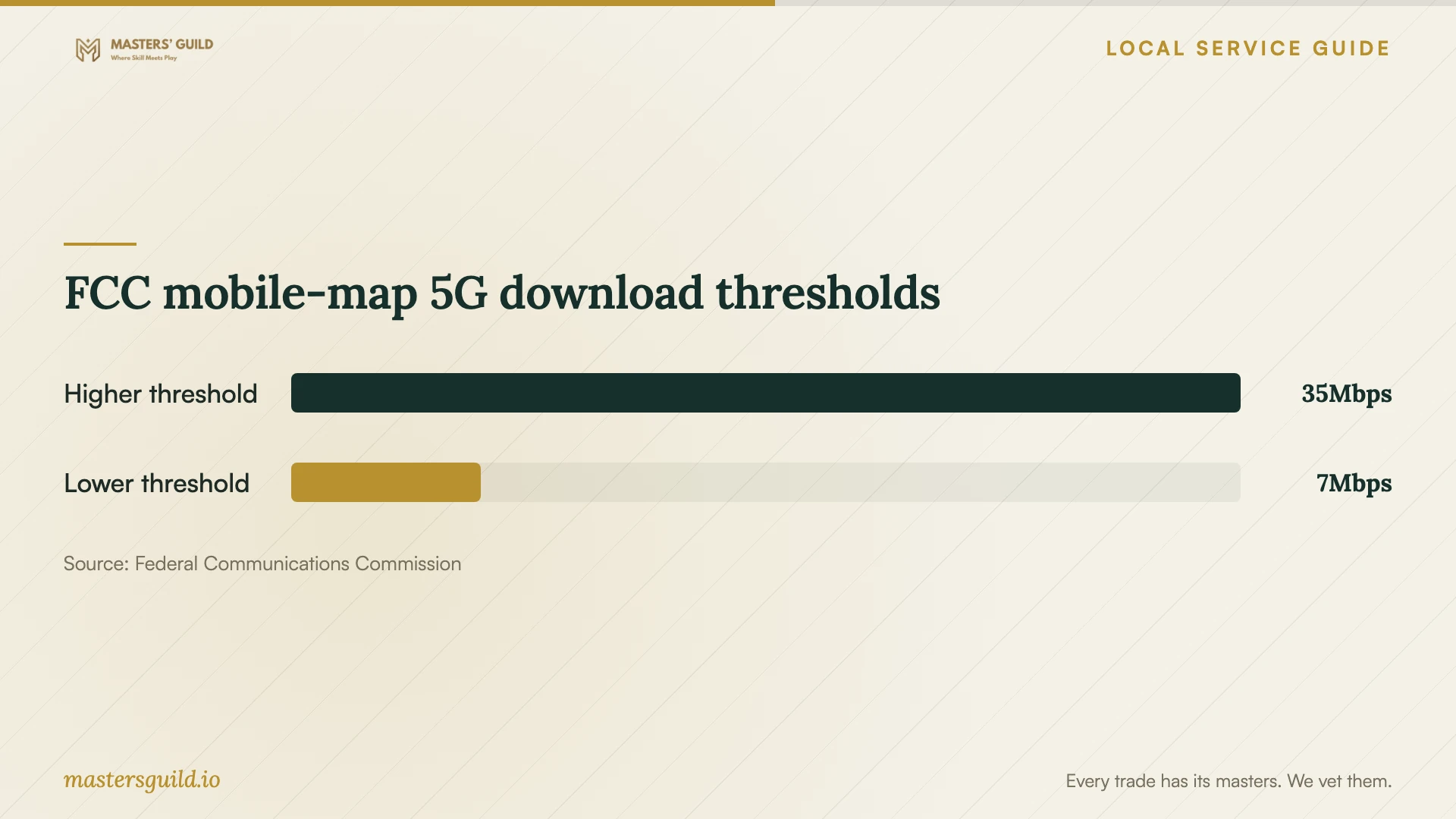
FCC mobile-map 5G download thresholds
Local details that affect your job
Idaho registration changes cabling-contractor screening
For construction at your Boise home exceeding $2,000 in materials and labor, ask the installer about Idaho registration and any exemption. DOPL requires registrants to display their registration number on contracts and advertising. Request the number and insurance proof when assessing a qualifying proposal, and distinguish registration from a trade license. [1]
A small outage may require a report
If Idaho Power supplies your home, an empty outage map does not rule out a power outage: the utility omits outages affecting fewer than 10 customers. Check power to your network equipment and report an unlisted outage after 10 minutes before arranging network diagnosis. If another electricity provider supplies your home, check its map and reporting rules instead. [2]
Choose the next step before booking
| Situation | Next step | Details to confirm |
|---|---|---|
| Connection fails in one room | Request diagnosis at that location | Tests before and after the proposed work |
| Considering a new internet plan | Check FCC address-level reports, then contact the provider | Service availability, installation and equipment responsibilities |
| Planning cabling involving construction | Ask whether Idaho registration or an exemption applies | Written scope, applicable registration and insurance proof |
| Power outage; Idaho Power supplies your home | Check its outage information; report an unlisted outage after 10 minutes | Map display can take up to 10 minutes; outages affecting fewer than 10 customers do not appear |
| Power restored; Idaho Power supplies your home | Follow its phased equipment-restart guidance | Begin after about 10 minutes of restored power; check each item before proceeding |
| Another utility supplies your home | Consult your electricity provider | Its outage-reporting and equipment-recovery instructions |
Your hiring checklist
- List affected devices, rooms and activities you need to test.
- Record your internet plan and existing equipment models.
- Identify your electricity provider and its outage-reporting process.
- Photograph equipment locations and proposed cable endpoints.
- Set a diagnostic spending limit and an approval process for purchases.
- Ask about applicable credentials, permits, wall repairs and disclosures.
- Separate installation, equipment and follow-up support in the quote.
- Retain administrator access and collect test results and recovery instructions.
Frequently Asked Questions
Should I buy a mesh system before booking?
Request diagnosis and a placement plan first. Give the technician your room list and existing equipment details. Ask how the proposed equipment addresses the problem and agree on completion tests before approving the purchase.
Does the FCC map guarantee service or indoor cellular backup?
The FCC displays provider-reported availability and maximum advertised speeds. Confirm installation availability with the internet provider. Its mobile map describes outdoor or in-vehicle coverage, so arrange a test at the intended indoor backup location. [3]
Does Idaho's $2,000 threshold apply to router setup?
DOPL describes registration for nonexempt construction jobs exceeding $2,000 in materials and labor. That guidance does not establish a requirement for ordinary router configuration. Ask an installer to explain applicable requirements when a proposal includes construction. [1]
What should I do if the outage map shows nothing?
Check your electricity provider. If Idaho Power supplies your home, its map can take up to 10 minutes to display an outage and omits outages affecting fewer than 10 customers. Report an unlisted power outage after 10 minutes. Other customers should follow their electricity provider's reporting instructions. [2]
Sources and scope
This guide combines the sources below with practical planning guidance. Figures apply to the stated geography and period; request a written quote for your property.