
Local service guide
Network Setup and Support in Birmingham, AL
Arrange Network Setup and Support by choosing a troubleshooting visit or a defined installation, then asking for an itemized quote for your layout. Describe the affected rooms, devices and activities before approving hardware. For a Birmingham home, review address-level broadband information through the FCC map; for proposed wall work, use the city's Planning, Engineering & Permits contact to resolve scope questions. [1] [3]
Define the visit before choosing equipment
For troubleshooting, write down where the connection fails and what you were doing. Distinguish a problem on one device from a problem throughout the home. Ask the technician to reproduce the issue, compare wired and wireless connections, and explain the findings before proposing purchases. Agree on whether the initial visit includes repairs or diagnosis alone.
For an installation, name the rooms and devices you want to connect. Ask for proposed router or access-point locations and a cable route if the work includes Ethernet outlets. Include practical constraints: furniture placement, access to an attic or crawlspace, visible cable preferences and areas you do not want opened.
Before changing internet service as part of the project, review the FCC's address search. The FCC lets you inspect providers, technologies and advertised speeds reported for that location. Bring those details to the appointment so you can discuss the incoming service alongside the work inside your home. [3]
Read broadband maps at the right scale
The FCC's National Broadband Map displays availability that internet providers report. At a selected location, you can review maximum advertised download and upload speeds. Ask the provider to confirm the installation offer, equipment requirements and service terms before committing to a change. [3]
ADECA's Be Linked Alabama map serves a different planning purpose. Its speed-map shading represents the percentage of addresses within a census block that have access to the selected speed. A shaded block does not establish an offer for your particular home. Use the statewide view to understand the surrounding coverage, then examine your location. [2]
Keep a copy of your current plan and record the tasks that matter to you, including uploads if you send large files or join video meetings. Ask the technician to document the connection method, test device and test location when recording results. That gives you a concrete basis for discussing the proposed work.
Clarify the scope of wall work
Birmingham's Planning, Engineering & Permits department handles the majority of city permits and provides building-code resources. Its PEP page does not specify an Ethernet-cabling permit rule. Describe the proposed cable route, wall openings and any related electrical work when asking the department which approvals apply. [1]
Include responsibility for any required application and inspection in the installation agreement. Ask the installer to identify the proposed outlet positions and explain how they will leave opened surfaces. Specify who patches and paints, who removes debris, and how the installer will handle an inaccessible route or a change you request during the visit.
Compare itemized quotes and agree on handover
Obtain itemized quotes for your layout. Request separate entries for the visit, hardware models, cable runs, termination, testing and surface repair. Ask whether you will purchase equipment or the installer will supply it. Compare the total alongside exclusions, travel charges and the terms for a return visit.
For work involving a city permit, Birmingham's Online Permit Center supports applications, payments and tracking of application and inspection status. Ask for the relevant permit reference as part of your project record. [1]
Before work starts, agree on the rooms and devices the technician will demonstrate at completion. Include a task you use, such as a video call or file upload. Request labels for cable endpoints, a record of equipment locations and instructions for reconnecting after a restart. Keep administrator access under your control and agree on any remote-support access before the technician leaves.
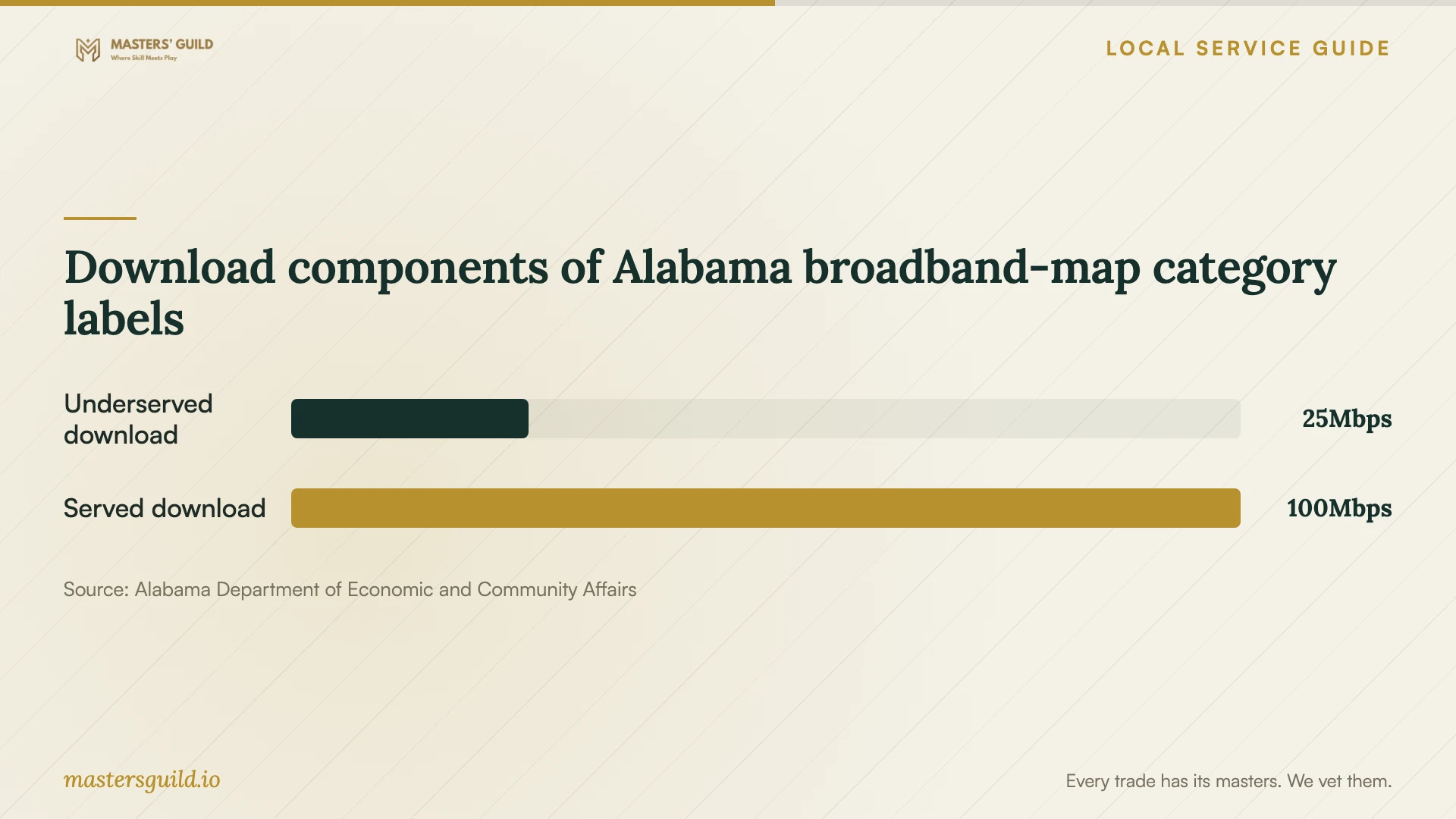
Download components of Alabama broadband-map category labels
Local details that affect your job
Birmingham contact and application workflow
For a cabling scope question within Birmingham, contact Planning, Engineering & Permits at 205-254-2211 during its listed hours, Monday through Friday, 8:00 am to 4:00 pm. The office lists 710 North 20th Street, Room 207, City Hall. Prepare a description of the route and alterations before calling. If your project requires a permit, use the city's Online Permit Center for applications, payments and application or inspection status tracking. [1]
Alabama coverage labels are regional context
ADECA labels map categories including Underserved at 25/3 Mbps and Served at 100/20 Mbps. Those labels accompany census-block coverage percentages, rather than measurements from Birmingham households. If you are arranging service at a new home, use the regional map to frame availability questions and the FCC location search to inspect the providers reporting service at that property. [2] [3]
Choose the scope that fits your situation
| Situation | Work to request | Detail to settle |
|---|---|---|
| An intermittent connection problem | A diagnostic visit | Whether the visit includes repairs and how additional work gets approved. |
| A new home network | An equipment and placement plan | Who supplies the hardware and which rooms need service. |
| Ethernet outlets in finished rooms | A route and surface-repair proposal | Birmingham PEP scope clarification and responsibility for any required approvals. |
| A change of internet provider | An FCC location review | The reported technology and advertised speeds, followed by the provider's installation offer. |
Your hiring checklist
- Prepare a short problem log with affected rooms, devices, activities and times.
- Have your internet plan and modem and router model numbers available.
- Sketch preferred equipment locations and any proposed outlet positions.
- Arrange access to the spaces the installer needs and obtain owner consent if you rent.
- Choose a visit window when you can tolerate a connection interruption.
- Gather existing equipment receipts and warranty information for the handover.
Frequently Asked Questions
Does Birmingham require a permit for Ethernet cabling?
Birmingham's PEP page does not specify an Ethernet-cabling permit rule. Ask the department about the proposed route, wall alterations and related electrical work. Resolve that question before scheduling the installation. [1]
What can I do if the FCC map lists service I cannot order?
The FCC provides an Availability Challenge process for incorrect service information at a location. Select the location and use the Availability Challenge link to submit the form. Ask the provider to explain the discrepancy so you can describe the issue. [3]
Can I use the FCC mobile map to judge indoor coverage?
The FCC says its mobile coverage areas describe connections outdoors or in a moving vehicle; they do not show indoor coverage. For support inside your home, describe the rooms and devices involved and ask for checks there. [3]
How should I arrange support after installation?
Ask for the contact method, support hours, return-visit charges and the boundary between equipment warranty service and paid troubleshooting. Agree on whether remote access continues, who authorizes a support session and how you can revoke access.
Sources and scope
This guide combines the sources below with practical planning guidance. Figures apply to the stated geography and period; request a written quote for your property.