
Local service guide
Software installation in Billings, MT
Software installation in Billings starts with choosing the right help: hire a technician for a defined list of programs, devices, and setup tasks, then agree on the charge and completion checks before work begins. Check local alternatives first. Active MSU Billings students and employees may qualify for a no-cost Office license, and Billings Public Library offers instruction for its downloadable reading services. For paid help, ask the technician to separate installation labor, software purchases, account setup, and any backup or transfer work in the quote. [1] [2]
Define the installation job before requesting a quote
Write down the name of each program, the device it belongs on, and what you want to do with it. Include your operating system version and any error message. Describe the outcome in ordinary terms, such as opening an existing document, sending email from the intended account, or reading a borrowed book. Ask the technician to confirm compatibility before purchasing software or changing your computer.
Separate a basic application install from operating system work, account recovery, file transfer, and troubleshooting. Ask which tasks the quote covers and which require another estimate. If you want to keep an older program, tell the technician before approving changes. Request a backup plan before any work that could remove files or replace your operating system.
Check local access before paying for software
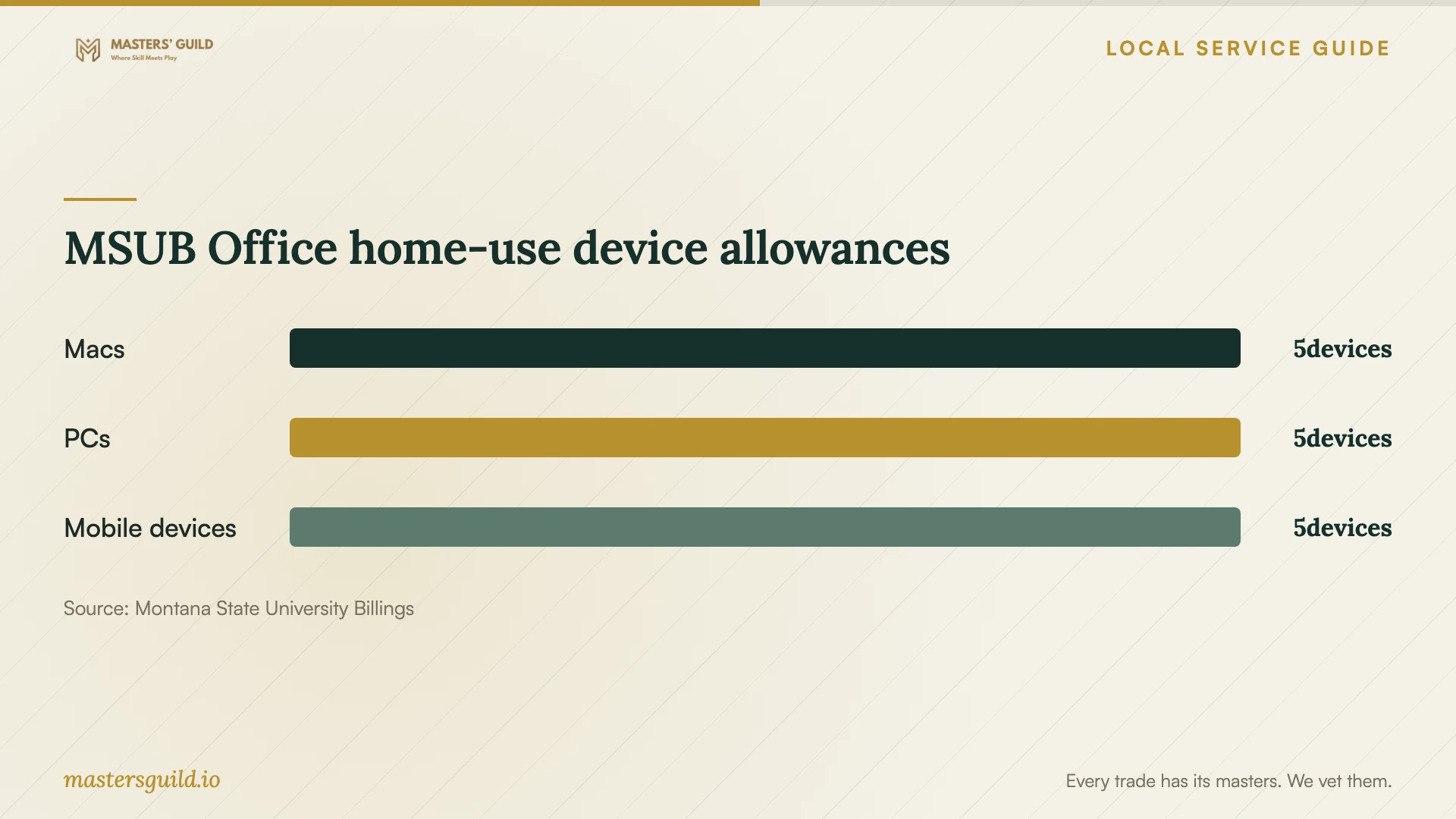
MSU Billings describes a home-use Office ProPlus license for active students, staff, and faculty at no cost. Its published allowance covers up to 5 Macs, 5 PCs, and 5 mobile devices. The university says Office stays activated while you remain a current student or employee with an active email account. If this applies to your household, check your university access before authorizing a separate Office purchase. [1]
Billings Public Library gives cardholders free access to eBooks and audiobooks through Montana Library2Go and provides Libby setup links. Staff offer instruction through classes or by appointment. Use that service when your goal is borrowing and reading library titles; describe your device and the download problem when asking about an appointment. [2]
For Freading, the library requires an Adobe ID and says users must authorize the mobile app with that ID before downloading. Its computer instructions call for Adobe Digital Editions. The library also flags file-association choices for people using Montana Library2Go. Tell anyone helping you which reading services you use before they change the default app for book files. [2]
Choose remote help or a visit around the actual task
Ask whether the technician can complete your stated job remotely and what you must do at the keyboard. For a visit, confirm the address, arrival arrangements, and any travel charge. For remote work, agree on the connection method, session boundaries, and how the technician will remove or disable unattended access at the end. Keep account sign-ins under your control.
Treat an unexpected antivirus warning as a reason to verify the message before arranging support. In its March 7, 2024 warning, Montana DOJ describes scammers who display alerts, direct users to call a number, take control of the computer, and demand payment. The department advises checking a number before calling. Find a provider through a separate, trusted contact route rather than the warning itself. [3]
Compare quotes by scope and payment terms
Ask for an itemized quote that distinguishes labor from license purchases and subscriptions. Request the billing method, minimum charge, and any fee for a visit or follow-up session. Agree on what happens if installation stops because of a compatibility issue, an inaccessible account, or a device fault. Set a spending limit that requires your approval before extra work begins.
Use the same task list when comparing offers. Ask whether the technician will install updates, configure the intended account, preserve existing files, and test the feature you need. Request a receipt for any software purchase and confirm which account will own the license. Keep your account email and recovery options under your control.
Check the result before ending the appointment
Open each requested program and complete a task with the technician present. For email, test sending and receiving. For document software, open a file you use and save a test copy. For a reading app, confirm that you can sign in and open a title. Restart the device if the work requires it, then repeat the relevant check.
Ask the technician to explain any subscription, account, or setting they changed. Request written notes naming the installed programs, unresolved issues, and agreed follow-up terms. Check that you can access your accounts without the technician's help and confirm that the remote session has ended before settling the appointment.
MSUB Office home-use device allowances
Local details that affect your job
MSUB households should check university eligibility
An active MSUB student or employee should check the university Office entitlement before purchasing another license. MSUB publishes personal-device allowances and makes continued activation conditional on current status and an active email account. Ask an installer to use your eligible university account, and consider your plans for access after that eligibility ends. [1]
Library reading-app help offers a different starting point
Billings Public Library offers staff instruction through classes or appointments for its downloadable reading services. Call 406-657-8258 with your device type and the error details to ask about help. For Freading, prepare your library card number, PIN, and Adobe ID; the library's instructions require those credentials for setup and access. [2]
Montana has a consumer-protection reporting route
Montana DOJ's statewide warning applies to residents arranging remote support here. It identifies antivirus pop-ups followed by remote control and payment demands as a scam pattern. If you suspect that pattern, contact the Office of Consumer Protection at 406-444-4500 or 800-481-6896. [3]
Choose the help that fits your task
| Your situation | Starting point | Preparation |
|---|---|---|
| Active MSUB student or employee needing Office | Check the university's no-cost home-use license | Confirm current eligibility and university account access |
| Libby or Montana Library2Go download problem | Ask Billings Public Library about staff instruction | Describe your device and the exact error |
| Freading setup | Follow the library's account and authorization instructions | Prepare library credentials and an Adobe ID |
| Several applications or a new computer setup | Request a technician's itemized scope | List programs, devices, licenses, and completion checks |
| Unexpected antivirus pop-up asking you to call | Verify support through an independent contact route | Avoid granting access through the alert |
Your hiring checklist
- List the programs, devices, operating system versions, and intended uses.
- Record error messages and identify any existing software you want to keep.
- Check your existing licenses and relevant university or library access.
- Confirm that you can sign in and receive account verification codes.
- Agree on backup and file-preservation steps before approving changes.
- Get the labor, purchases, subscriptions, and extra-work terms in writing.
- Verify the provider's contact details before allowing remote access.
- Test the requested tasks and collect installation notes before the appointment ends.
Frequently Asked Questions
Does MSUB's Office license cover personal computers?
Yes. MSUB describes a home-use license for active students, staff, and faculty covering up to 5 Macs, 5 PCs, and 5 mobile devices at no cost. Continued activation requires current student or employee status and an active email account. [1]
Can the library help me install a reading app?
Billings Public Library provides setup guidance for its reading services and says staff offer instruction through classes or by appointment. Ask about help for your specific device and service. Its page does not describe general computer repair or installation support for unrelated programs. [2]
What should a software installation quote include?
Ask for the named programs and devices, labor charge, license or subscription purchases, account configuration, backup responsibilities, and completion tests. Agree on the charge for unresolved problems and the approval process for extra work.
Should I call the number in an antivirus warning?
Verify the number through a separate trusted source first. Montana DOJ warns that scammers use antivirus pop-ups to prompt calls, gain computer control, and demand payment. Its Office of Consumer Protection accepts scam reports. [3]
Sources and scope
This guide combines the sources below with practical planning guidance. Figures apply to the stated geography and period; request a written quote for your property.