
Local service guide
Computer Virus Removal in Baton Rouge, LA
Arrange Computer Virus Removal in Baton Rouge by choosing a technician who explains the diagnosis, agrees on which files to preserve, and gives you a written spending limit before starting. Check ownership first: LSU lists virus removal in its desktop support services for LSU-owned equipment. For a personal computer, choose the service arrangement that fits your access needs and ask what you owe if the technician cannot resolve the problem. [1]
Give the technician enough information to diagnose the problem
Describe what you saw and what you did before the symptoms appeared. Include warning messages, recent downloads, and any remote access you granted. Take a photo of the warning and note whether the computer starts. Ask the technician to explain the proposed diagnosis before you agree to a cleanup package.
Name the files and applications you need when the computer comes back. Describe your existing backup and its date. Have the technician distinguish malware cleanup from operating-system repair, reinstalling applications, and recovering inaccessible files. Agree on a spending limit and require your approval before erasing data or expanding the work.
Choose remote service, drop-off, or a home visit
Ask a prospective technician which service arrangement they recommend for the symptoms you described. For remote work, agree on a session you can supervise and ask how they will end access afterward. Clarify what happens to the charge if they stop the session and recommend bringing the computer into a shop.
For drop-off service, request an intake receipt identifying the computer and accessories. Ask who will handle the device and when you should expect an update. For a home visit, confirm the travel charge and ask whether the technician might need to take the computer away. Choose an arrangement you can manage if follow-up work becomes necessary.
Set boundaries for files and account access
Ask where the technician will store any copied files, who can access them, and when they will delete those copies. Discuss how they will handle files they suspect contain malware. Keep account recovery details under your control and enter passwords yourself when practical.
If you suspect someone accessed your email or financial accounts, use a separate trusted device to review account activity and arrange password changes. Tell the technician about that concern, but agree on which account tasks you will handle yourself. Avoid adding unrelated account access to the repair scope.
Compare charges without treating LSU's schedule as a market price
Request separate charges for diagnosis, approved repair work, file handling, software, travel, and tax. Louisiana's Department of Revenue lists repairs and maintenance of tangible personal property and digital products among taxable service categories. Ask the provider how it classifies your work and which components it treats as taxable. [2]
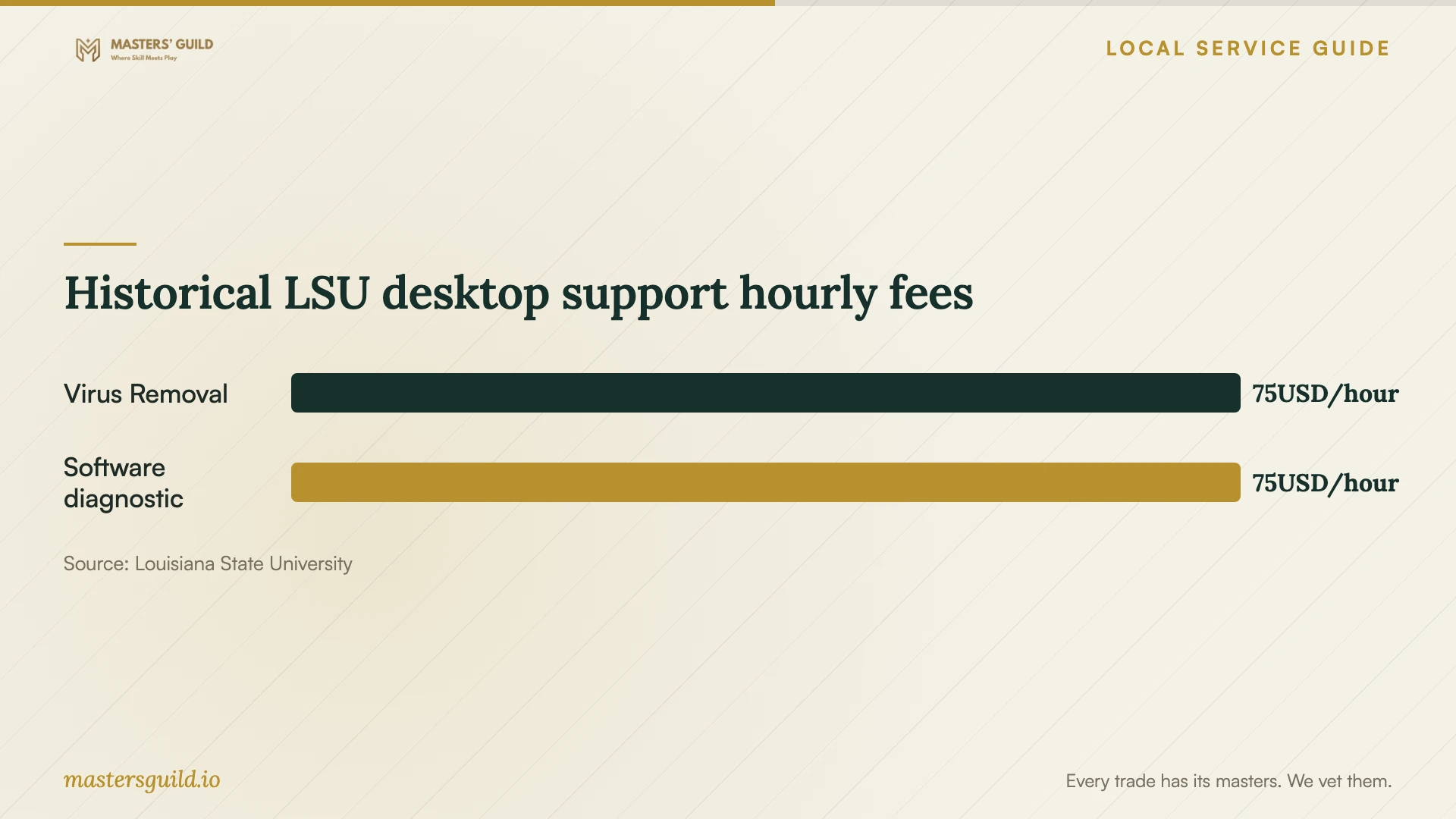
LSU's desktop support article, updated March 25, 2024, publishes a $75 hourly charge for non-free services, including virus removal and diagnostic work with software repair. It says the charge applies even without resolution. LSU also warns that the article may contain dated material, so confirm current charges before relying on this historical schedule. [1]
For private service, ask what you owe after an unsuccessful diagnosis or cleanup attempt. Request a completion estimate and an agreed update time. Compare the proposed work and unresolved-work terms alongside the total; do not use the university's institutional fee as a quote for your personal computer. [1]
Check the computer at handoff
Before accepting the computer, check startup, open the essential files you identified, and try the applications included in your agreed scope. Ask for repair notes covering software changes, remaining concerns, and any follow-up steps. Have the technician explain changes to security settings in language you understand.
Keep the intake receipt, estimate, and repair notes together. Ask how the provider handles a return of the same symptoms and whether follow-up diagnosis carries a charge. If the provider proposes a subscription or ongoing support, review its price and cancellation terms as a separate purchase.
Historical LSU desktop support hourly fees
Local details that affect your job
LSU ownership changes your first contact
LSU limits the cited desktop support service to LSU-owned equipment and directs users to submit a Service Desk request or email the desk. If you use a university-owned computer at home, confirm that route before arranging private repair. The article lists delivery time as up to two business days, but flags dated material. Ask the desk about current scheduling and what its delivery estimate covers; do not treat it as a promised cleanup duration. [1]
Clarify the tax domicile used in your estimate
The City-Parish's April 2026 notice added Domicile Code 2716, Row R, for the LSU EDD Athletic Subdistrict for tax periods beginning April 1, 2026. Its Sales Tax Domicile Lookup accepts an address number and street name to identify an address's tax column. Ask the provider which address it used and why that address applies to your repair. For an unresolved address lookup, the City-Parish lists taxpayer assistance at 225-389-3084. These sources do not establish the current rate or the governing address for your particular transaction. [3] [4]
Choose the first step for your situation
| Situation | First step | Question to resolve |
|---|---|---|
| LSU-owned computer | Contact the LSU Service Desk | Does the current service cover this device and request? |
| Personal computer with unclear symptoms | Request diagnosis before choosing a repair package | Which work does the technician recommend and why? |
| Computer you cannot leave at a shop | Discuss remote service or a home visit | What happens if the technician needs shop access? |
| Estimate with an unclear tax jurisdiction | Ask which address the provider used | Does the City-Parish lookup match that address's domicile? |
Your hiring checklist
- Photograph warning messages and record recent downloads or remote-access sessions.
- Check the computer's ownership and identify the person authorized to approve repair.
- List essential files, applications, and the date of your existing backup.
- Compare written scopes and totals before choosing a technician.
- Agree on an update time that fits your need to use the computer.
- Bring the intake notes to handoff and test the agreed functions.
Frequently Asked Questions
Can I use LSU desktop support for a personal laptop?
The cited service page specifies LSU-owned equipment. Campus affiliation alone does not establish eligibility for your personal laptop. Ask the Service Desk about other support options before planning around university service. [1]
How long should I allow for repair?
Ask your chosen provider for an estimate after describing the symptoms and your file requirements. Request an update point if diagnosis changes the scope. LSU's historical delivery wording does not establish a repair duration for private services. [1]
Does the published $75 hourly fee apply to my home computer?
LSU publishes that fee for its non-free desktop support services, whose eligibility covers LSU-owned equipment. The article dates from March 25, 2024 and warns of dated material. Confirm current institutional terms with LSU and obtain a separate quote for personal-device repair. [1]
Sources and scope
This guide combines the sources below with practical planning guidance. Figures apply to the stated geography and period; request a written quote for your property.