
Local service guide
Software Installation in Aurora, IL: Plan Your Setup
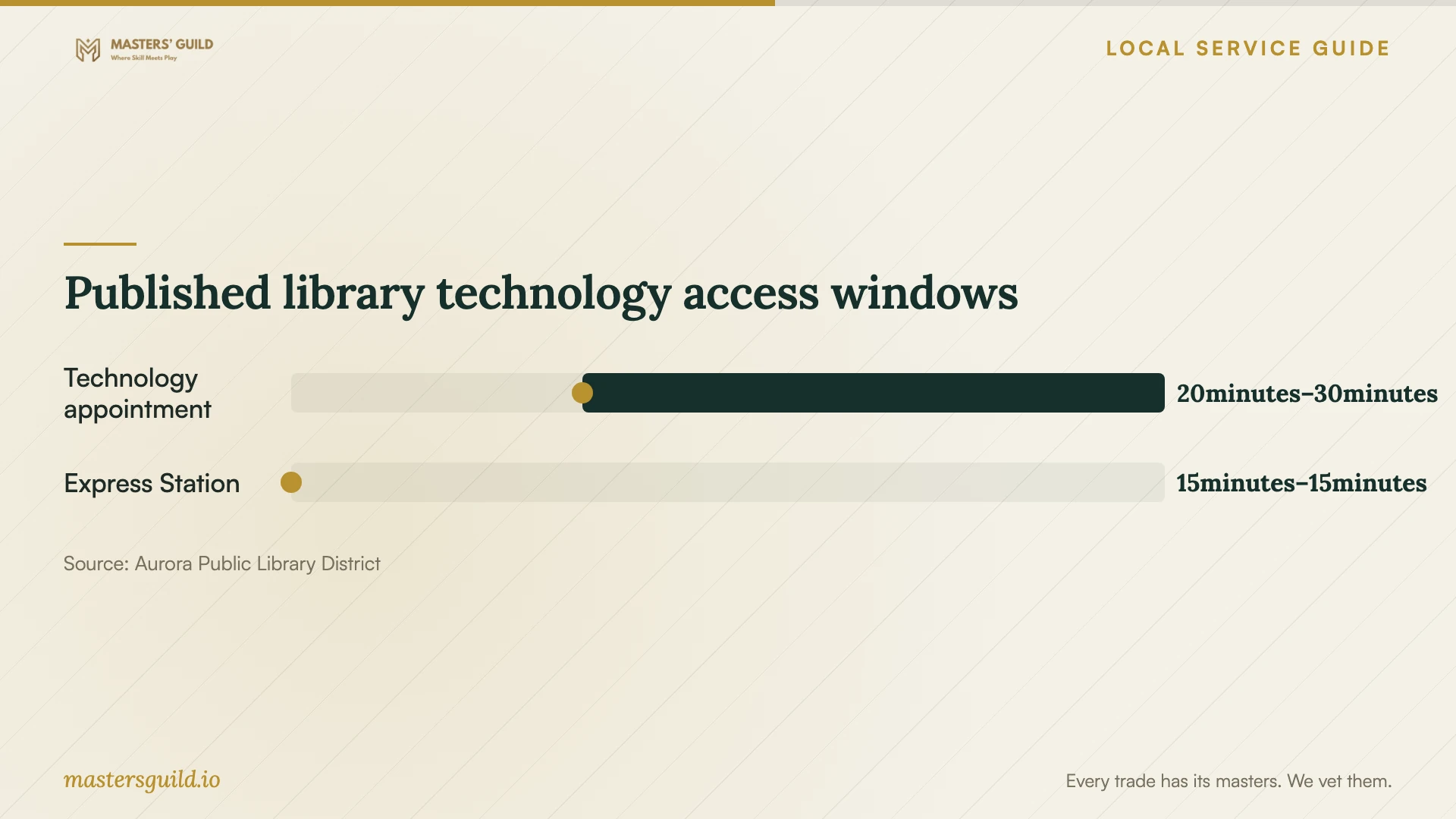
For Software Installation in Aurora, IL, request a technician’s quote for the programs, activation, configuration, and testing you need on your own device. Specify any files you want preserved before agreeing to work. If you need instruction in Word, email creation, or finding apps, Aurora Public Library District offers focused technology appointments lasting 20–30 minutes. [1]
Describe the result you want
Give the technician a short task description, such as installing a named application, activating a license you own, or preparing a new computer with selected programs. Include the computer model, operating system version, and number of devices. Ask the provider to check compatibility before you authorize a software purchase.
For a failed installation, share the exact error message and the steps you tried. Hide personal information in screenshots. Ask whether the provider includes diagnosis in the installation quote and what you will owe if they cannot complete the job. Set an approval limit for extra work.
Separate installing an application from transferring files, connecting email, or configuring a printer. Describe each result you need so the provider can quote the whole task. For an exam or other deadline, ask for time to test the required features before the day you need them.
Choose an appointment format you can manage
Before accepting remote help, ask how the technician will connect and what you must do at your computer. Confirm that you can start the device, connect to the internet, and remain present. Request an in-home or drop-off arrangement if you cannot complete the steps the provider requires.
For a home visit, confirm the arrival window and any travel charge. For drop-off service, agree on collection arrangements and ask what accessories to bring. Describe any internet or startup problem before booking so the technician can assess whether the proposed appointment format fits.
The library’s technology assistance focuses on one core concept rather than an extended appointment. Staff cover topics such as Microsoft Office, email creation, and finding apps through Google Play or the App Store. Use that option when you want to learn a specific task; request a defined installation scope from a paid provider when you want someone to complete setup. [1]
Compare charges and software rental terms
Compare written quotes with the same programs, devices, and tasks. Request separate amounts for labor, software, file transfer, diagnosis, and travel. Ask whether the provider includes follow-up help and how they charge for another visit. For recurring charges, request the renewal amount, billing frequency, and cancellation terms before agreeing.
Illinois Department of Revenue lists specific conditions for software leases and rentals to avoid leasing tax. These include a signed written agreement, restrictions on duplication and use, replacement or archival-copy provisions, limits on transfers, and return or destruction of copies when the license period ends. Ask the seller how the actual lease or rental agreement meets those conditions. [3]
Keep that tax question limited to the arrangement you are considering. The cited state guidance concerns software leases and rentals; it does not establish the tax treatment of your installation labor or a software purchase. Request an explanation of each tax charge on the quote. [3]
Prepare files and test the finished setup
Back up files you want to preserve and check that you can open the backup. Locate purchase receipts and license details. Tell the technician which folders they may access or transfer, and require your approval before they erase data, remove applications, or reinstall the operating system.
Use an account you control for software purchases and recovery access. Enter passwords and verification codes yourself. For remote work, ask how to end the connection and review any continuing access permissions with the technician before the appointment ends.
Agree on acceptance tests before work starts. After setup, restart the computer, launch the application, confirm activation, and open a sample file. Test the feature you hired the technician to configure, such as sending email or printing. Record unresolved errors and who will address them.
Published library technology access windows
Local details that affect your job
Book library instruction around one question
Aurora Public Library District schedules 20–30 minute technology appointments during regular operating hours, subject to staff availability. Request a session through its appointment form or call 630-264-4117. Describe one learning question when booking. Staff exclude sessions longer than 30 minutes, personal-device repairs, and tutorials on software unavailable through the library. [1]
Bring a personal device for specialized exam software
The district prohibits installing new programs on public computers. For specialized software required by an online exam, it directs customers to reserve a study room and use a personal device. Arrange installation and testing on that device before the exam; do not plan to add the required program to a library workstation. [2]
Choose a route for your task
| Your task | Suggested route | Planning point |
|---|---|---|
| Learn an Office or email task | Library technology appointment | Choose one core concept for a 20–30 minute session. |
| Install a custom application | Your own device, with technician help if needed | Library public computers prohibit new program installation. |
| Prepare specialized exam software | Personal device and advance testing | The library suggests reserving a study room and using your device. |
| Troubleshoot a personal device | Ask a paid provider for a diagnostic scope | Library staff do not repair personal devices. |
Your hiring checklist
- Write down the exact programs, device models, and operating system versions.
- Identify files or settings you want transferred or preserved.
- Send installation error details with personal information hidden.
- Confirm compatibility and the appointment format before booking.
- Compare itemized quotes and agree on approval for extra charges.
- Test your backup and locate software purchase records.
- Choose acceptance tests that demonstrate the features you need.
Frequently Asked Questions
Can I use library software while arranging my installation?
The district’s public computers offer browsers, Microsoft Office, and programs for viewing photos and videos. You can obtain a guest pass without a library card. Check whether those existing programs meet your immediate need. [2]
Should I approve an operating system reinstall as part of the job?
Ask the technician to explain why they propose it, what files and applications they intend to preserve, and what restoration work the quote includes. Check your backup before approving data removal or a reinstall.
Does a monthly software payment qualify for an Illinois leasing-tax exemption?
Ask the seller about the actual agreement. IDOR ties its software lease and rental guidance to listed conditions, including signed terms, use and transfer restrictions, replacement or archival-copy provisions, and return or destruction of copies at the end of the license period. [3]
Sources and scope
This guide combines the sources below with practical planning guidance. Figures apply to the stated geography and period; request a written quote for your property.