
Local service guide
Cloud Service Setup in Aurora, IL
For Cloud Service Setup in Aurora, IL, hire a technician against a written scope: name the devices, files to move, people who need access, and checks you want demonstrated before handoff. For introductory help, ask Aurora Public Library District whether your topic fits its short technology appointments. Staff focus on one core concept, so arrange separate help for work beyond that appointment’s scope. [1]
Define the job before comparing technicians
Write a short description of what you want to accomplish. For example, ask for help moving selected household documents from an old computer, arranging access from your laptop and phone, and demonstrating how you can retrieve a chosen file. Identify any folders you want excluded. Give each technician the same description so you can compare their proposed work.
Ask the technician to distinguish file access, migration, and backup in the proposal. Request an explanation of what happens when you edit or delete a file under the proposed arrangement. For a backup job, ask them to describe the recovery process and demonstrate it with a non-sensitive sample. Avoid accepting a proposal that leaves those outcomes undefined.
Specify who should control the account, who should receive shared access, and who should pay any subscription. Ask the technician to explain the proposed platform’s requirements using its own documentation before you authorize installation or purchase. Keep the scope limited to the household’s needs rather than adding services you have not asked for.
Choose introductory help or a paid setup appointment
Aurora Public Library District offers technology appointments focused on a single core concept. Published examples include creating an email address and finding apps. Staff schedule sessions for 20–30 minutes, subject to availability during regular operating hours. Ask whether your specific introductory question fits before treating a library appointment as part of your setup plan. [1]
The library excludes personal-device repairs, tutorials on software unavailable through the library, and extended sessions beyond 30 minutes. For a job involving several devices or a detailed migration, ask a paid technician to quote the full scope. Do not assume library staff will install your chosen cloud service or complete a transfer. [1]
For paid help, request examples of comparable work on your chosen platform and ask who will perform the appointment. Have the technician explain the steps, access they need, and how they will handle private files. Ask whether they propose remote help or a visit, and choose an arrangement you can supervise.
Check connectivity and equipment before booking
The FCC explains how to search an exact address and inspect provider-reported fixed broadband availability, technology, and maximum advertised download and upload speeds. Apply that lookup to your home address when considering an internet change. Treat the results as reported availability and advertised speeds rather than a measurement of your connection. [3]
Before setting a migration deadline, ask the technician how they will assess your connection and file volume. Separate the time they spend configuring devices from any transfer you will monitor afterward. Agree on what happens if the connection drops, which tasks require another appointment, and who will check completion.
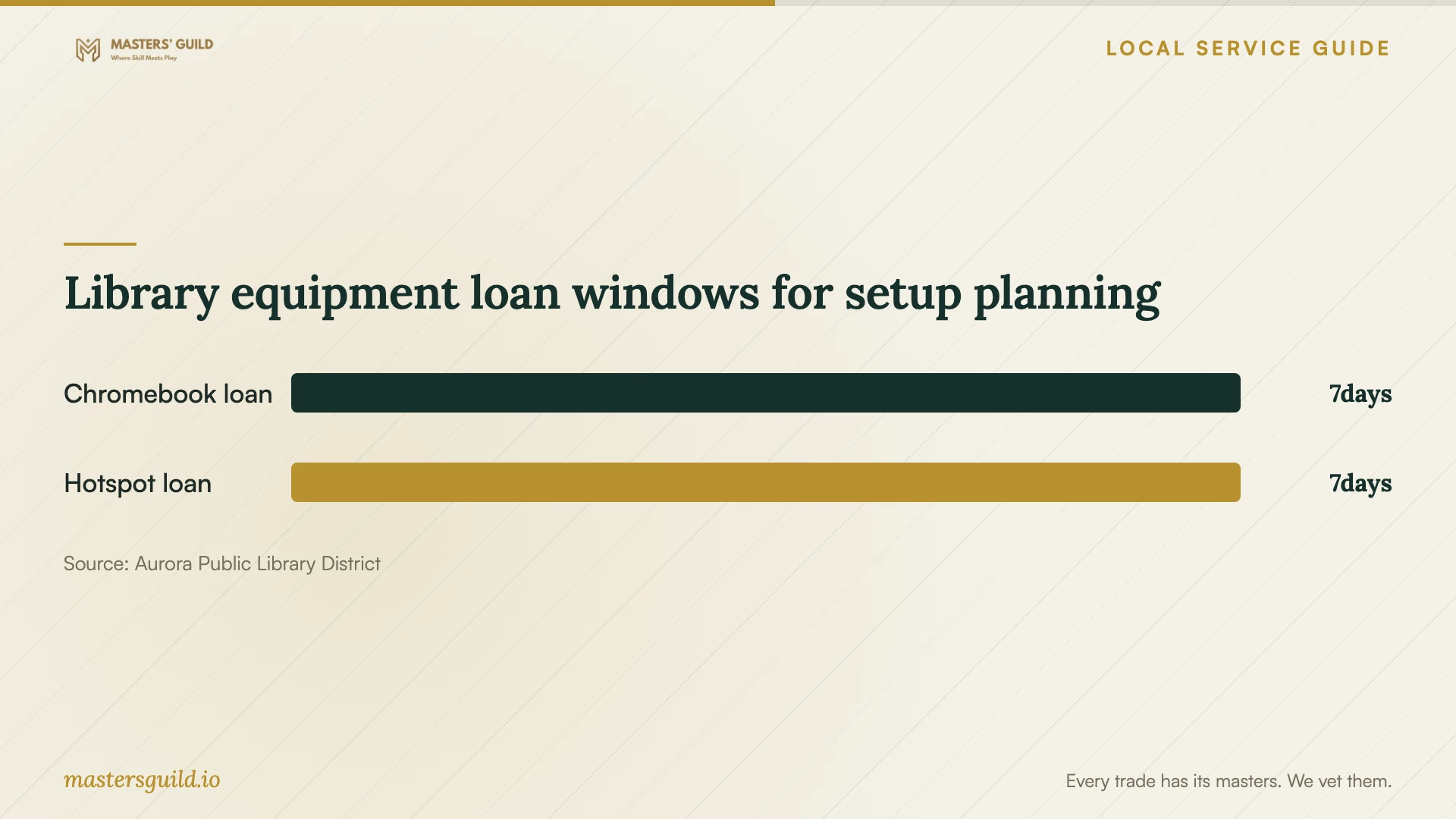
Aurora Public Library District lists one-week loans for hotspots and take-home Chromebooks. Hotspot eligibility requires a valid APLD card and an age of at least 11; the library does not allow renewals. For an internet interruption, ask about availability and suitability before planning work around a loan. Use your own computer for installation or settings changes because the library prohibits both on its Chromebooks. [2]
Request a quote with a clear stopping point
Request written quotes for your devices and the work you want completed. Ask for separate amounts for technician labor, any visit charge, subscriptions, and optional follow-up support. Request either a fixed scope or a spending limit that requires your approval before more work.
Name the handoff checks in the quote. Ask to sign in yourself, open agreed sample files on the intended devices, review access permissions, and practice the recovery steps included in the job. For a migration, ask how the technician will identify skipped files and resolve exceptions before you approve removal of the old copies.
Request a short written record of the account owner, selected plan, included folders, excluded folders, and remaining work. Ask the technician to remove temporary access at handoff and explain how you can request future help. Keep credentials out of the quote and ordinary messages; agree on an access method before the appointment.
Library equipment loan windows for setup planning
Local details that affect your job
Book a focused library appointment
Call Aurora Public Library District at 630-264-4117 to ask whether your introductory question fits a technology appointment. Staff schedule 20–30-minute sessions focused on one core concept. Prepare a narrow question, such as help understanding an account sign-in, and confirm coverage rather than booking with an expectation of a complete household migration. [1]
Plan around library equipment restrictions
The library offers one-week take-home Chromebook loans to customers with registered library cards, but prohibits installing software or altering settings. Hotspot loans also last one week and have no renewals. Ask about a hotspot if you need temporary connectivity; bring your own device when the setup requires installation or configuration. [2]
Choose help that fits the task
| Your need | Next step | Boundary to confirm |
|---|---|---|
| Help with one introductory technology concept | Ask library staff whether the topic fits an appointment. | Sessions last 20–30 minutes; staff availability applies. |
| Repair a personal device before setup | Arrange repair help separately. | Library staff do not repair personal devices. |
| Install software or change configuration | Arrange work on your own device. | Library rules prohibit these changes on borrowed Chromebooks. |
| Temporary internet access | Ask the library about hotspot availability and suitability. | A valid APLD card, minimum age of 11, and a nonrenewable one-week loan apply. |
| Compare internet options at home | Review the FCC address lookup and confirm options with providers. | Listings show provider-reported availability and maximum advertised speeds. |
Your hiring checklist
- List the devices, account owners, and folders included in the job.
- Identify private files and folders you want excluded.
- Write down the access, migration, or recovery result you want demonstrated.
- Ask the technician to assess connectivity before committing to a transfer deadline.
- Request separate labor, subscription, visit, and follow-up charges.
- Agree on access arrangements and approval for additional work.
- Practice the agreed handoff checks and record unfinished tasks.
Frequently Asked Questions
Can the library complete my cloud setup?
Ask staff about your specific topic. Aurora Public Library District describes short appointments focused on one core concept and excludes tutorials on software unavailable through the library. Do not assume an appointment includes installation, migration, or backup configuration. [1]
Can I use a borrowed Chromebook for the appointment?
The library prohibits installing software and changing settings or configurations on borrowed Chromebooks. Use your own device for those tasks. Ask the technician what equipment you need before booking. [2]
How should I compare setup quotes?
Give technicians the same device list and desired outcome. Ask each to separate labor from recurring subscriptions, define completion checks, and explain follow-up charges. Compare the proposed work and handoff rather than choosing by the total alone.
Does the FCC map tell me how long an upload will take?
The FCC describes its fixed broadband listings as provider-reported availability and maximum advertised speeds. Ask the technician to assess your connection and proposed transfer before agreeing to a completion deadline. [3]
Sources and scope
This guide combines the sources below with practical planning guidance. Figures apply to the stated geography and period; request a written quote for your property.