
Local service guide
Computer Virus Removal in Augusta, GA
Arrange Computer Virus Removal in Augusta, GA by choosing a technician through contact information you find yourself, explaining the symptoms and agreeing on the work before the appointment. If an infection-warning advertisement gave you a phone number, avoid that number. Georgia’s consumer protection guidance warns against calling those numbers or granting computer access to unsolicited callers. [3]
Choose help after a suspicious warning
Contact a provider you choose rather than continuing a conversation with an unsolicited caller. The Georgia Attorney General’s Consumer Protection Division says Microsoft does not make unsolicited calls about viruses, security issues or software fixes. Its guidance also warns that scammers may charge for fake repairs or install malware that gives them access to usernames and passwords. [3]
Tell your chosen technician whether someone controlled the computer, asked you to install a program or received payment information. Describe the access you granted without sending account passwords in the initial message. Ask whether the proposed appointment will address the software that person installed.
If you shared financial information, contact your bank or card issuer using a trusted number. Keep the caller’s messages, receipts and a record of what you authorized. Georgia’s Consumer Protection Division lists a consumer complaints number of 404-651-8600 and a toll-free Georgia number of 800-869-1123. [3]
Prepare a useful description and data boundary
Write down the warning text, when it appeared and what you were doing at the time. Include the computer model, operating system, whether it starts and what you tried afterward. Tell the technician about recurring symptoms without deciding in advance that a virus caused them. Request an explanation of the diagnosis before choosing the repair.
Identify the personal files you need, such as photos, tax records or schoolwork. Describe your backup and when you last checked that you could open it. Agree on who may access those files, where the technician may store copies and when they will delete them. Require your approval before drive erasure or a reinstall.
Set appointment and spending terms
Choose an appointment format that fits your situation. For remote work, ask what you need to do during the session and how the technician will end access afterward. For drop-off work, get an intake receipt identifying the computer and accessories. For a home visit, confirm the arrival window and any travel charge before booking.
Set a spending limit and ask the provider to contact you before adding work or purchases. Find out whether you owe a diagnostic fee if you decline the repair. Ask for an expected completion date and a contact method for updates, especially if you need the computer for school or household administration.
If you are considering replacement, ask for the repair total and any separate cost to move your files. Compare those amounts with the replacement computer you would choose. Keep disposal planning separate from the repair decision so you can retrieve what you need before handing over the old device.
Check the work at handover
Ask the technician to explain what they found and what they changed. Try the programs you rely on and check the agreed files before accepting the handover. Request written follow-up terms, including whom to contact if the original symptoms return and whether another assessment would carry a charge.
Review any proposed security software subscription before approving it. Ask about its price, renewal terms and cancellation process. Keep the work summary and final invoice together so you can describe the repair if you need help again.
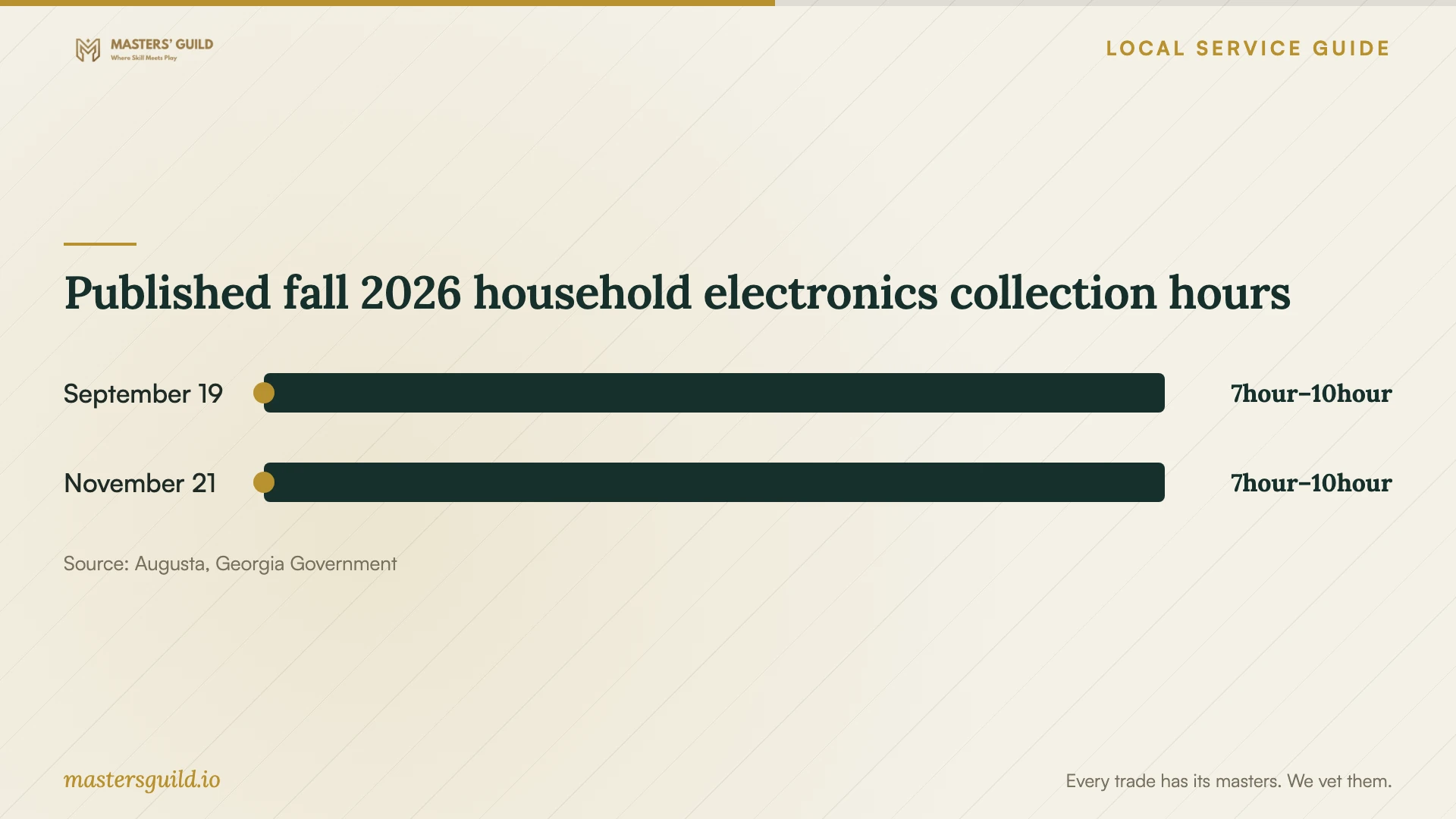
Published fall 2026 household electronics collection hours
Local details that affect your job
Georgia invoice rules change the tax question
For this repair, ask the provider to identify labor and purchased parts on separate invoice lines. Georgia’s Department of Revenue says itemized repair labor is exempt from sales tax and that retail sales of tangible personal property generally attract tax. Ask the provider to explain other charges rather than treating the entire bill as exempt. [1]
Richmond County residents have a scheduled disposal option
Augusta’s 2026 announcement lists free household electronics collection, including computers, on November 21 from 7:00 a.m. to 10:00 a.m. at the Augusta–Richmond County Landfill, 4330 Deans Bridge Road, Blythe. Bring proof of Richmond County residency and confirm details through 311 before traveling. Arrange drive erasure separately; the announcement does not promise that service. [2]
Match the appointment to your immediate concern
| Situation | Next step | Point to settle |
|---|---|---|
| An infection advertisement gives you a repair number | Avoid that number and choose your own provider | Describe the warning during diagnosis |
| An unsolicited caller already controlled the computer | Disclose the access to your chosen technician | Include the installed remote-access software in the discussion |
| You cannot bring the computer to a shop | Ask about a home appointment | Confirm arrival time and travel charges |
| You choose replacement | Check Richmond County household recycling eligibility | Prepare residency proof and a separate data-erasure plan |
Your hiring checklist
- Bring the power adapter and confirm which other accessories the technician wants.
- Remove memory cards and external drives unless they form part of the agreed work.
- Provide a contact number for decisions during the appointment.
- Ask how you will sign in if the technician needs access, rather than including passwords in an intake message.
- Note the computer’s identifying details on your drop-off receipt.
- Keep your appointment confirmation and completed work summary.
Frequently Asked Questions
How should I budget for the repair?
Request a written quote for your computer. Ask whether diagnosis, file preservation, operating-system work and follow-up are included.
Does a warning advertisement prove I need paid removal?
Request a diagnosis from a provider you choose before authorizing paid work. Georgia warns against clicking infection-warning advertisements or calling their listed numbers. [3]
Can I ask for diagnosis without approving a reinstall?
Ask the provider to make diagnosis the first stage of the appointment. State which changes require your permission and ask how they will contact you with findings before proceeding.
Sources and scope
This guide combines the sources below with practical planning guidance. Figures apply to the stated geography and period; request a written quote for your property.