
Local service guide
Data Recovery and Backup in Arlington, TX
Arrange Data Recovery and Backup in Arlington, TX by separating the immediate recovery job from ongoing backup management. Get a device-specific written assessment, name the files and business tasks you need restored, and agree on acceptance checks before approving work. For suspected ransomware, coordinate network isolation and evidence preservation with an incident responder before rebuilding; CISA recommends recovery on a clean network. [3]
Define the recovery job and equipment handoff
Start with a short job brief: device model, symptoms, missing files, last usable backup and any recovery attempts. Identify whether you need documents recovered, an application restored or both. Give the specialist a deadline tied to a business task, such as preparing invoices or accessing appointment records.
For a failed device, get handling instructions from the recovery specialist before attempting another repair. Confirm whether you will deliver equipment, arrange collection or ship it. Record the actual recovery facility, any forwarding arrangement and the person authorized to approve work. Obtain an equipment receipt at handoff.
Write acceptance criteria before diagnosis begins. For example, require the accounting file to open in its application and contain the needed transactions. Agree on a way to inspect the result while limiting access to unrelated employee and customer records.
Approve an itemized quote and file-handling terms
Obtain a written quote covering assessment, recovery, return storage and transport. Clarify charges for unsuccessful or partial recovery, expedited work and cancellation. Set a spending limit and require approval before additional work. Compare providers using the same device, priority files and acceptance criteria.
Include who can access your files, which subcontractors may receive them, how the provider will deliver recovered data and when it will delete temporary copies. For recurring backup management, CISA recommends contract language that formalizes security requirements and restricts third-party access to assigned responsibilities. [3]
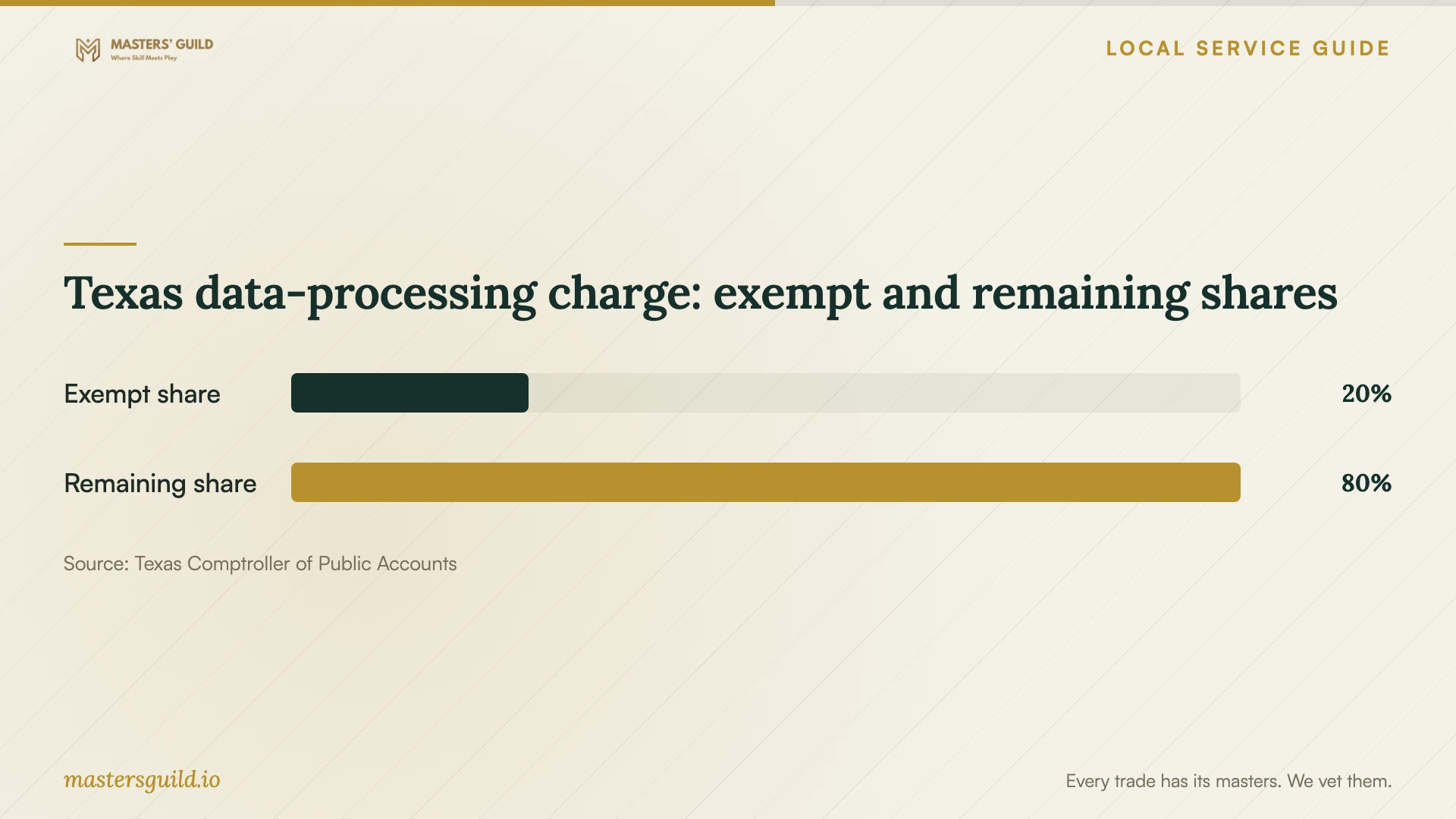
Keep one-time recovery, backup setup, recurring storage and hardware on separate quote lines. The Texas Comptroller includes offsite electronic-file backup in taxable data processing, with 20 percent of the charge exempt. Have the provider explain each line's tax treatment rather than applying that exemption to the whole recovery package. [1]
Specify backup coverage and prove a usable restore
Tell the provider how much recent work you could afford to lose and how long you could operate without each application. Use those limits to agree on backup frequency, retention and restoration priorities. List covered devices, applications and cloud accounts, then record exclusions and subscription renewal terms.
CISA recommends offline, encrypted backups because ransomware variants can delete or encrypt accessible backups. Require the proposed scope to explain how the provider protects a recovery copy from a compromised business account. If the proposal includes immutable cloud storage, review configuration responsibility and charges; CISA warns that misconfiguration can impose significant costs. [3]
Include a witnessed restore to an agreed test location. Open a representative file or complete a business task using the restored application. CISA recommends regular backup testing. Record who reviews failed-backup alerts, who handles restoration requests and who schedules the next test. [3]
Coordinate suspected ransomware before restoring
CISA recommends identifying affected systems and isolating them from the network. It reserves powering down devices for situations where network disconnection is impossible because shutdown loses potential evidence in volatile memory. Coordinate by phone with your IT lead or incident responder. [3]
Have the responder preserve relevant logs and evidence, investigate the compromise and establish a clean recovery environment. CISA warns that ransomware can follow an earlier unresolved compromise and recommends checking for it before rebuilding from backups. Request a restoration order based on critical business services and the systems they depend on. [3]
Texas data-processing charge: exempt and remaining shares
Local details that affect your job
Texas backup tax changes quote comparison
For an Arlington business purchasing offsite electronic-file backup, compare the service charge and tax as separate amounts. Texas treats this service as data processing and exempts 20 percent of that charge. The chart shows the exempt share and the remaining share, not a sales-tax rate. Request an itemized invoice and an explanation of tax on other services in the package. [1]
Texas breach reporting changes the response scope
Texas requires businesses and organizations experiencing a system-security breach affecting 250 or more Texans to report to the Attorney General as soon as practicably possible and no later than 30 days after discovery. Businesses must also notify affected consumers. An authorized representative must submit the Attorney General report electronically. For suspected customer-record exposure, engage counsel alongside the responder and document discovery, affected records and notification decisions. The reporting threshold does not establish that smaller incidents require no action. [2]
Match the job scope to your immediate problem
| Situation | Scope to request | Acceptance check |
|---|---|---|
| Missing files on one device | Device assessment and recovery of named priority files | Open the required files and check their contents. |
| Usable backup available | Restore assistance and application verification | Complete the business task using the restored data. |
| Ransomware suspected | Network isolation, evidence preservation and clean recovery | Have the responder assess the compromise before reconnection. |
| Recurring backup setup | Offline encrypted backups, monitoring and regular restore tests | Witness a restore and assign alert and testing responsibility. |
| Customer-record exposure suspected | Incident investigation and legal notification planning | Document discovery and assess Texas reporting and consumer-notice requirements. |
Your hiring checklist
- Prepare the device description, symptoms, missing-file list and history of recovery attempts.
- Rank business tasks for restoration and identify the files and applications each task needs.
- Confirm the equipment handoff, actual recovery facility and receipt.
- Approve itemized fees, unsuccessful-recovery terms and a spending limit.
- Record file-access permissions, secure delivery and temporary-copy deletion terms.
- Include acceptance checks, a backup restore demonstration and future testing responsibility.
- Coordinate suspected compromise with an incident responder and counsel before rebuilding.
Frequently Asked Questions
How much should I budget for recovery?
Get a device-specific written quote after the provider defines the assessment. Include diagnostic fees, partial or unsuccessful recovery charges, expedited work and return storage. Set an approval limit before handing over equipment.
Should I shut down a computer showing a ransom message?
CISA recommends network isolation first. It advises powering down only when disconnection is impossible because shutdown loses potential evidence in volatile memory. Coordinate the next step with your IT lead or incident responder. [3]
What should I receive when backup setup ends?
Request a coverage list, retention settings, access instructions and a record of a successful restore demonstration. Assign responsibility for alerts and future tests. CISA recommends offline, encrypted backups and regular testing of availability and integrity. [3]
Does a breach affecting fewer than 250 Texans need attention?
Have counsel assess the incident. The Attorney General identifies 250 or more affected Texans as the threshold for reporting to that office, while also stating that businesses must notify affected consumers. Do not treat that threshold as a blanket exemption from notification duties. [2]
Sources and scope
This guide combines the sources below with practical planning guidance. Figures apply to the stated geography and period; request a written quote for your property.