
Local service guide
Cloud Service Setup in Arlington, TX: Hiring Guide
For Cloud Service Setup in Arlington, TX, hire a technician who will document your files, configure staff access, test a file restoration and hand account control back to you. Request a written quote separating setup, migration, subscriptions and follow-up support. CISA recommends tested backups and limited third-party access; use those requirements to compare offers for your office or shop. [3]
Write a scope that matches your business
Start with the work you need staff to perform: share customer documents, access files from another device or recover records after a problem. List the devices, users, current accounts and folders involved. Identify who can approve changes and which records require restricted access. Send this inventory to each technician so you can compare offers for the same job.
Ask each bidder to describe the proposed account structure, folder permissions and recovery process. If you need business email or a domain transfer, name that work as a separate deliverable. Require the technician to state exclusions, including damaged-file recovery, application troubleshooting and ongoing support.
Plan the migration before moving files
Agree on which folders the technician will copy and which originals you will retain. Choose a work window and tell staff where to save new edits during the transfer. Ask for a small trial migration using representative files before authorizing the remaining work. Open the trial files and check their names, contents and access permissions.
Separate the technician's attended work from any upload that continues after the appointment. Request a follow-up check for failed transfers and a written rule for retiring the old storage. Keep your original copy until you approve the migration and recovery tests. Ask who will investigate missing files and whether the quoted fee includes that follow-up.
Require recovery and account-control checks
CISA recommends offline, encrypted backups and regular tests of their availability and integrity. Its cloud guidance also recommends considering version control and deletion protection. Ask the technician to explain which recovery measures they will configure, which require a separate subscription and which you must maintain after the handover. [3]
Choose a sample document and ask the technician to restore it to a separate location. Open the restored copy yourself. Record the steps, the person responsible for future tests and the location of the recovery instructions. Require the technician to identify any files or devices they excluded from backup.
CISA recommends phishing-resistant multifactor authentication, separate administrator accounts and restricted third-party access. Ask the technician to configure the available protections and explain any platform limitations. Keep the business owner in control of billing and recovery contacts, then review the technician's access before closing the job. [3]
Compare the complete invoice
Request separate amounts for planning, file migration, backup configuration, subscriptions, travel and ongoing support. Ask whether the provider charges a fixed fee or bills by time, what triggers an additional charge and who authorizes it. Compare the first invoice with the recurring amount you will pay after setup.
The Texas Comptroller includes data storage, offsite electronic backup and software-as-a-service providers within its data-processing guidance. It exempts 20 percent of data-processing charges from tax. Its detailed bulletin distinguishes consulting from taxable processing and sets conditions for separating unrelated services in a mixed invoice. Ask the provider to identify the applicable categories rather than assuming all setup labor receives the same treatment. [2] [4]
Arlington library public computer session limits
Local details that affect your job
Library connectivity does not include computer setup
Arlington Public Library offers free Wi-Fi at its locations through the password-free LIB_ONLINE network. The library states that staff cannot provide computer configuration assistance and that its Wi-Fi does not provide privacy security or virus protection. If you need connectivity away from your premises, arrange your technician separately and discuss the suitability of that connection before handling business records. [1]
Check the East Arlington Wi-Fi boundary
The city's neighborhood Wi-Fi program covers the area between East Abram Street on the north, Sherry Street on the east, East Park Row Drive on the south and New York Avenue on the west. If your premises fall within those boundaries, check connectivity there before booking a remote appointment. The library's description establishes the service area, not an upload-speed commitment for your business. [1]
Public computer sessions need a separate work plan
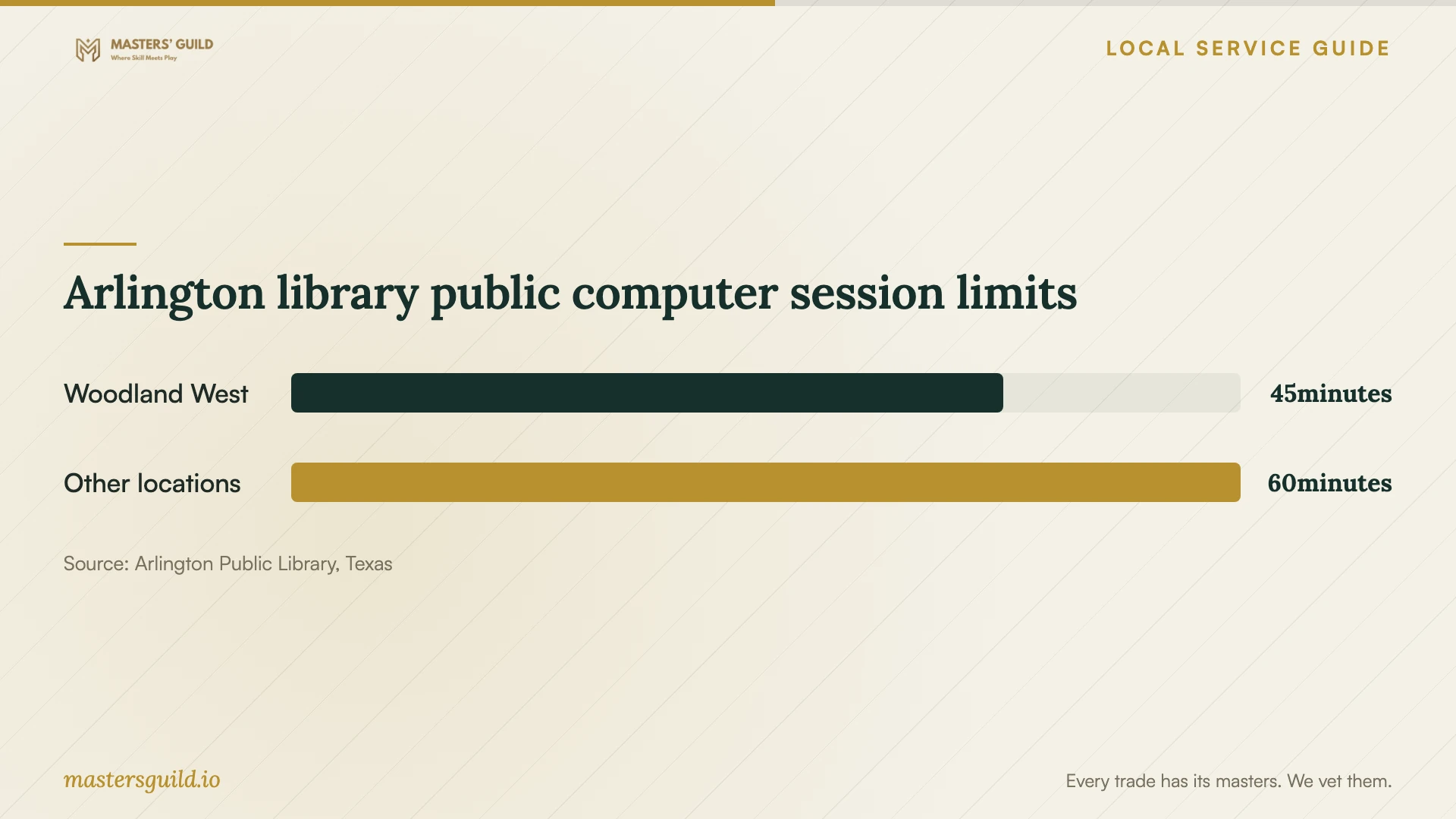
The library lists 45-minute public computer sessions at Woodland West and one-hour sessions at its other locations. It also states that computers reboot and wipe previous usage data after each patron session. Use those limits when planning an account-review visit; ask your technician to arrange the migration and handover on equipment you control. [1]
Choose the scope before requesting offers
| Your need | Scope to request | Acceptance check |
|---|---|---|
| Staff need shared files | Account setup and named-user folder permissions | Test access with a staff account and a restricted account |
| Files need to move from existing storage | Trial transfer, full migration and follow-up review | Open representative files and resolve missing items before retiring originals |
| You need recoverable business records | Backup configuration and a documented restoration test | Restore a sample file and record the recovery steps |
| You want ongoing technician support | Written access limits, support scope and recurring charges | Approve the technician's permissions and the process for ending access |
Your hiring checklist
- List devices, staff accounts, folders and the person who can approve changes.
- Identify restricted records and specify who should have access.
- Request separate setup, migration, subscription, tax and support charges.
- Agree on a trial transfer, work window and instructions for staff edits.
- Retain original files until you approve transfer and recovery checks.
- Watch the technician restore a sample file and open it yourself.
- Confirm billing control, recovery contacts and administrator access.
- Review technician permissions and obtain written support instructions.
Frequently Asked Questions
Should I book remote or on-site help?
Choose remote help if you can sign in, operate the devices and stay present for the session. Request on-site help if you want someone beside you for device checks and the handover. Ask the provider to describe the access method and when they will remove temporary access.
Can library staff set up my cloud account?
Arlington Public Library states that staff cannot configure your computer or provide technical assistance. Its Wi-Fi is available without a password. Book a technician separately if you need configuration or migration work. [1]
Will Texas sales tax apply?
Texas identifies data storage and offsite electronic backup as taxable data processing and exempts 20 percent of the data-processing charge. Mixed services require attention to the Comptroller's billing rules. Ask the provider to explain the treatment of each invoice item. [2] [4]
What should I receive at handover?
Request an account and folder inventory, recovery instructions, a record of the restoration test, subscription details and support terms. Confirm that you control the recovery contacts and can sign in without the technician. Review any continuing provider access before accepting completion.
Sources and scope
This guide combines the sources below with practical planning guidance. Figures apply to the stated geography and period; request a written quote for your property.